Transforming Federal Bank's Mobile Experience
FedMobile had 10M+ monthly users, yet most of its services went unnoticed. I rebuilt the home screen around what people came to do: search first, Quick Links they choose, and modules the business can configure.
- Problem
- 67% of services sat below 5% engagement, and 7% of support tickets were people looking for features that already existed.
- My role
- Sole product designer for 6 months in a 12-person team, owning research, IA, interaction design, prototyping and design system updates.
- Key decision
- Rebuild the structure instead of patching it.
- Outcome
- The numbers above, and a Play Store rating that rose from 3.7 to 4.6.
Context
A customer opened FedMobile to pay a piped gas bill. She scrolled, tapped two wrong sections, and backed out twice. The feature was there — two levels down. She wasn't an edge case.
Constraints
Legacy architecture
Limited navigation changes. Search and new components had to fit existing performance and SDK limits.
Existing design system
Improve it, don't replace it.
Accessibility
From digital-savvy users to first-time smartphone owners. Contrast, touch targets and cognitive load weren't optional.
Growth
New modules landed every month, and the layout had to absorb them.
North star & goals
Customers quickly find what they need, and discover the services they never knew existed.
- Reduce task friction: common tasks in fewer steps.
- Build a scalable IA: a modular structure that absorbs monthly additions.
- Close the discovery gap: surface the revenue-driving services people couldn't find.
Who it's for
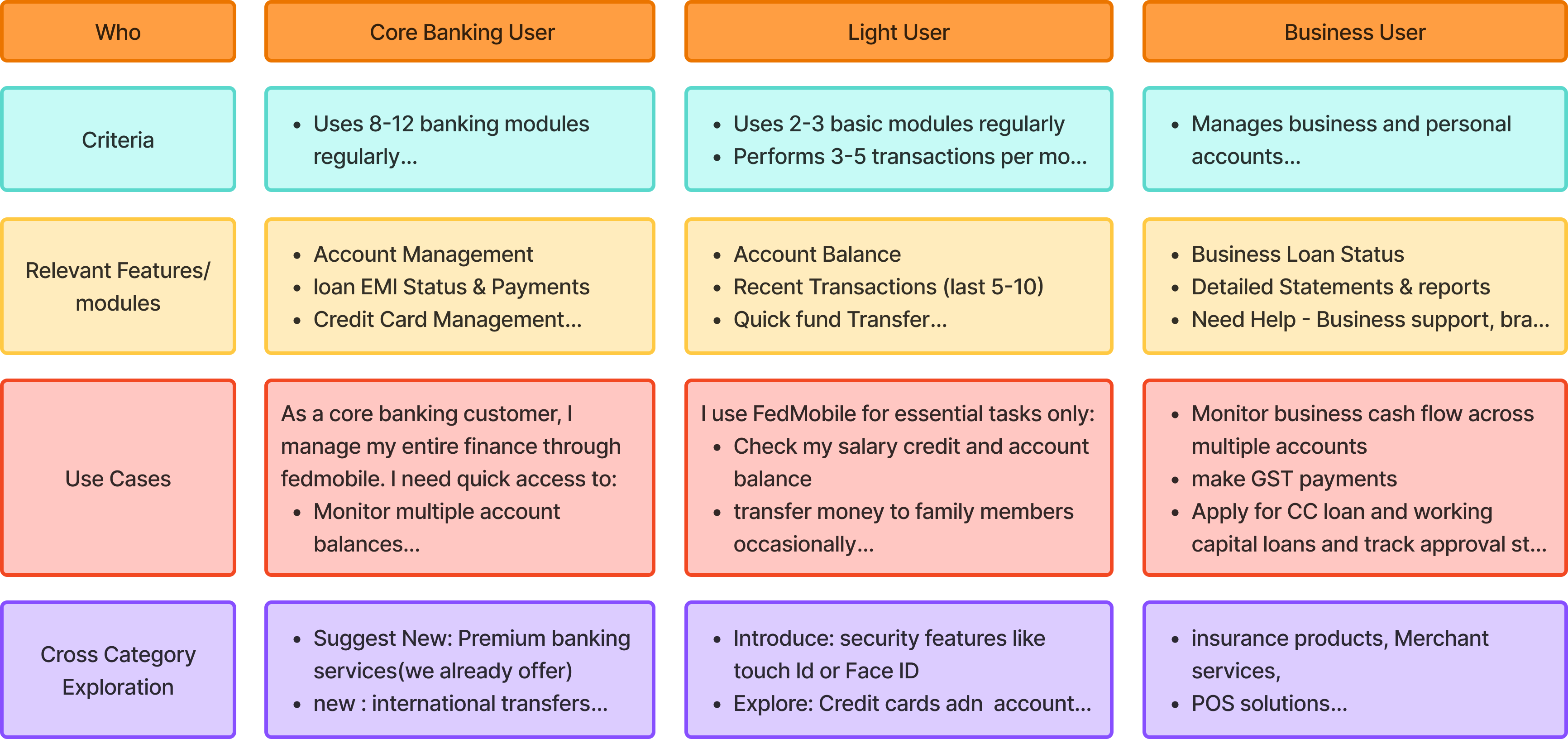
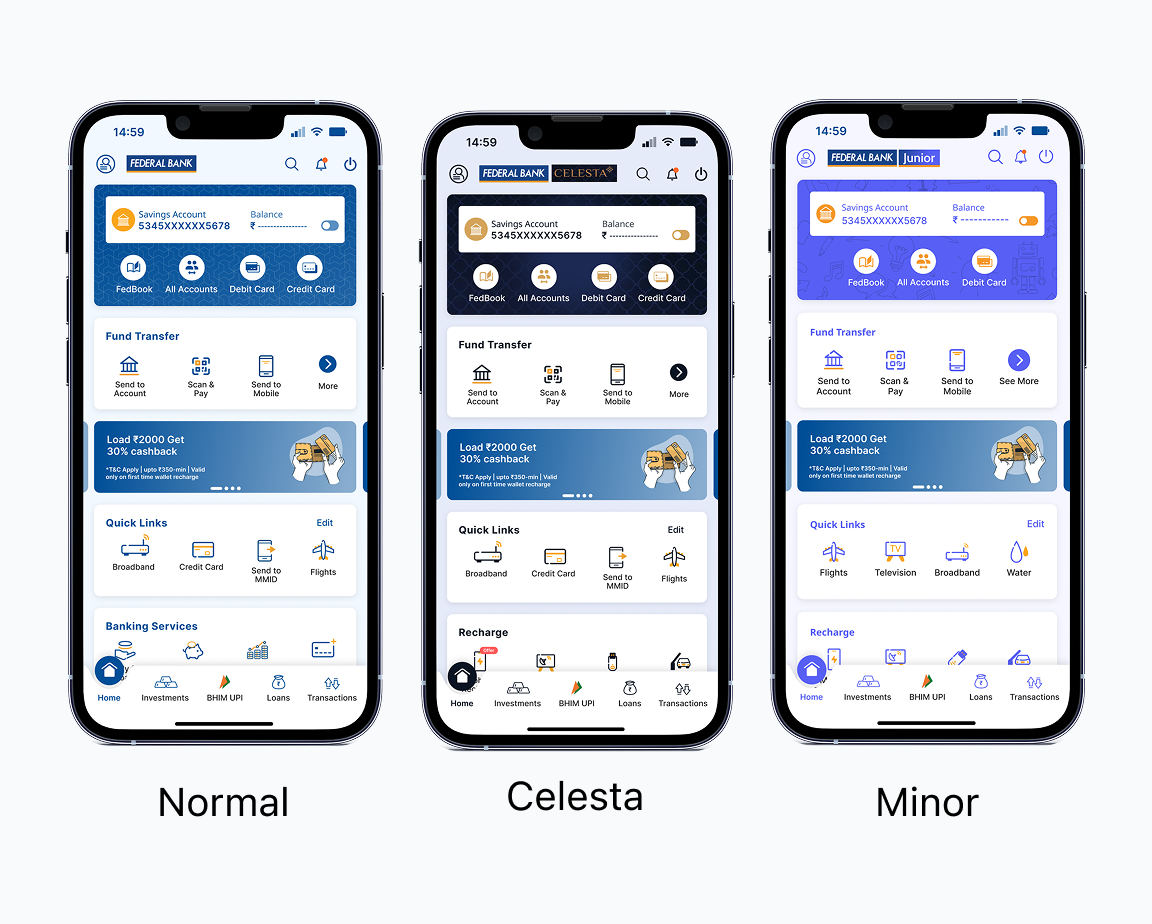
Three groups, by digital literacy and confidence. Three account types: Regular, Minor and Celesta.
Digital-savvy
"When I need something new, I want to search for it, not browse for it."
Mid-confidence
"When I open the app, I want my usual payments one tap away."
Traditional
"When I tap something, I want it to behave the way I expect, every time."
Insights & opportunity
Analytics, interviews and a market scan agreed: years of add-ons had left overlapping entry points and inconsistent patterns.
People weren't avoiding features. They didn't know they existed.
Discoverability
Key services were buried, costing engagement and revenue.
Consistency
Layouts, icons and interactions varied by module, so the app felt unpredictable.
Scalability
Monthly module additions had outgrown the layout.
Decisions & trade-offs
| Decision | Options considered | What we chose & why |
|---|---|---|
| Scope of the redesign | Patch the current home screen | Full overhaul from the foundation Support data showed quick fixes wouldn't touch the structural issues. |
| Home screen shortcuts | System-generated MRUs | User-configured Quick Links People wanted control, not automation. More setup, but higher satisfaction and repeat use. |
| Primary way to find things | Scroll and browse modules | Search-first navigation in the top bar One predictable entry point instead of scrolling and guessing. |
| Who controls the home layout | Hard-coded layout that needs UI releases | Backend-configurable module cards Business teams can promote high-value modules without a UI release. |
| Different account types | A separate layout per user type | One shared structure with per-segment themes One thing to learn and maintain; colours change per segment. |
What we chose not to do
- No visual-only refresh. New paint on a broken structure would have left discovery broken.
- No "fewer features" cut. The issue was overlapping entry points, not feature count.
- No redesign of deeper flows. Scope stayed on the home screen and its IA.
Solution approach
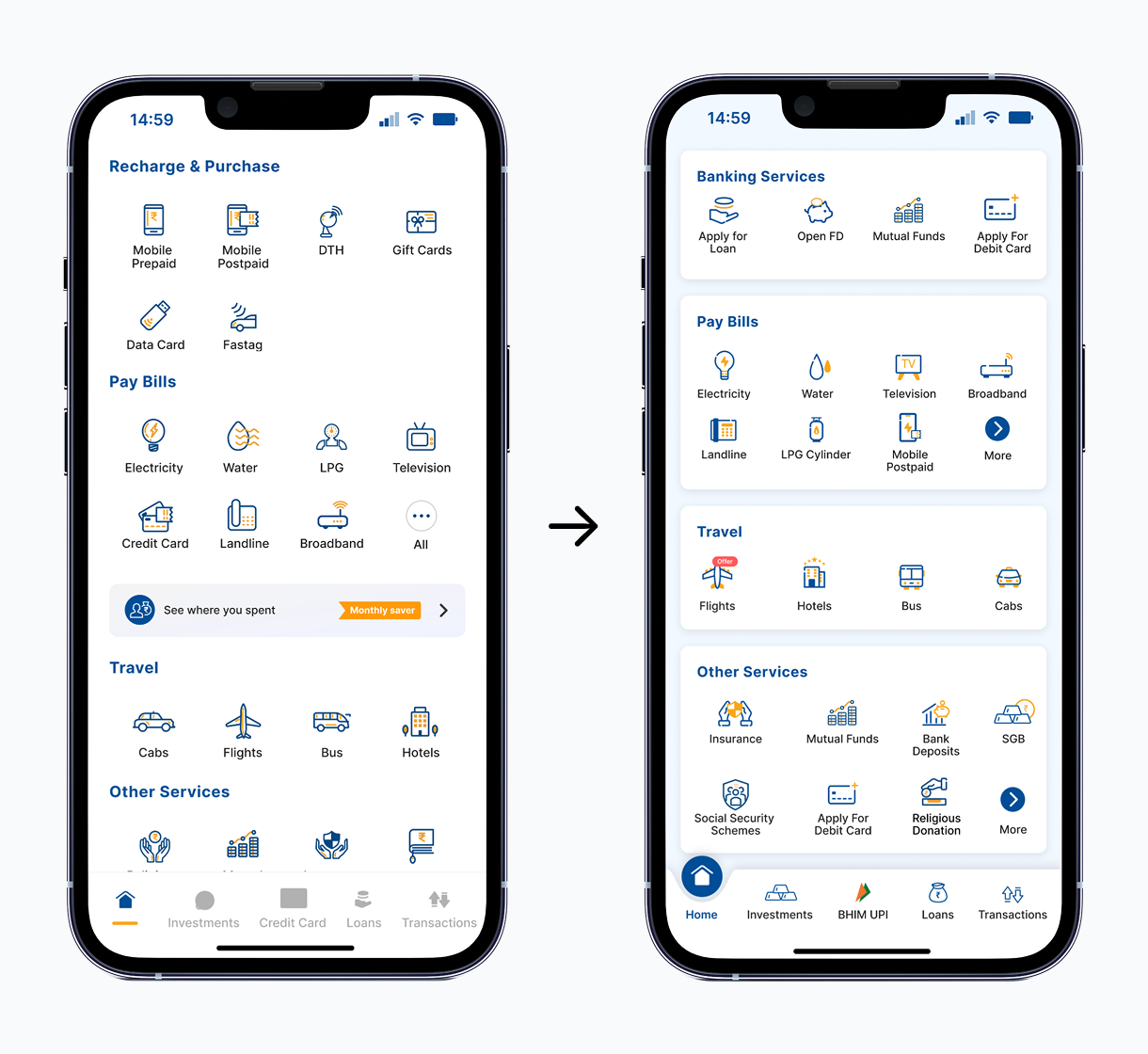
I started with a UX audit of every module and interaction path. Then I merged overlapping features, reorganised the IA around what people came to do, and built a modular card layout.
The challenge
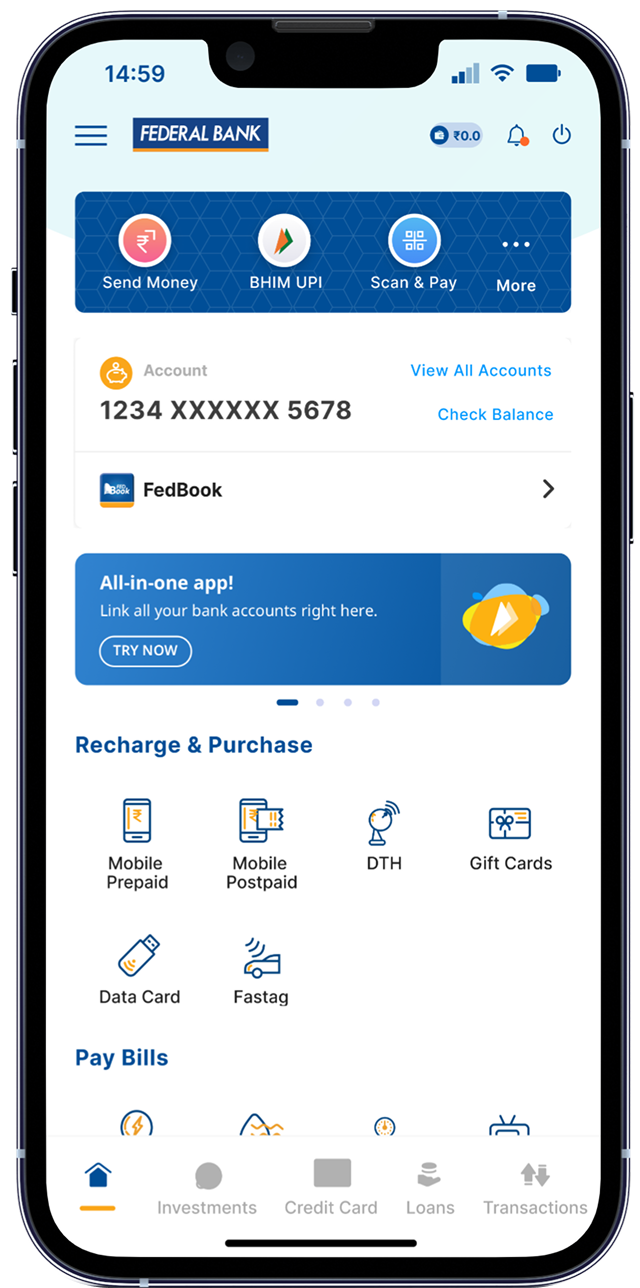
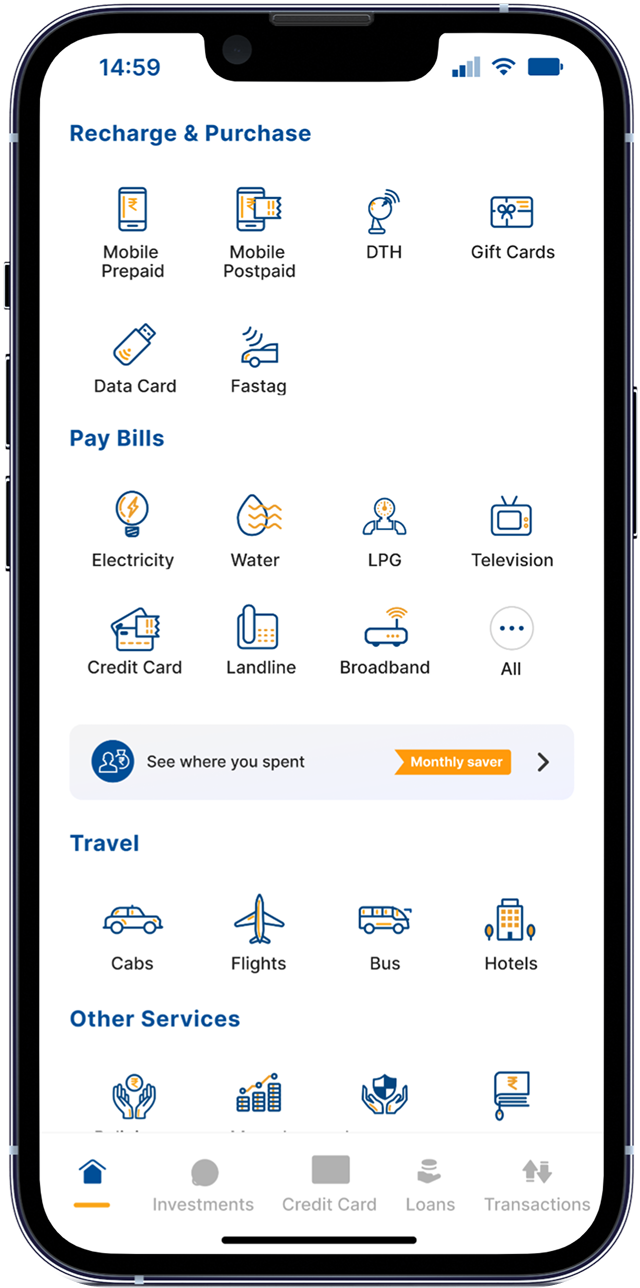
Different teams had added modules to the home screen for different reasons. Each made sense alone. Together they made a cluttered, inconsistent screen.
This wasn't a visual design problem. The IA had grown without a unifying framework, so the fix had to be structural.
Increase discovery and usage of revenue-focused modules.
Find what I need quickly, with clear, consistent and accessible UI.
Team alignment
I got Product, Engineering, QA and business stakeholders around one question: patch or rebuild? Laying past product decisions next to support data made the answer clear: a full overhaul.
Research
Data & analytics
6 months of CleverTap data across 10M+ MAU: heatmaps, session recordings and funnel drop-offs for the top 15 flows. People logged in often but used a small slice of the app. Backtracking and early exits showed them getting lost in deeper navigation.
User research
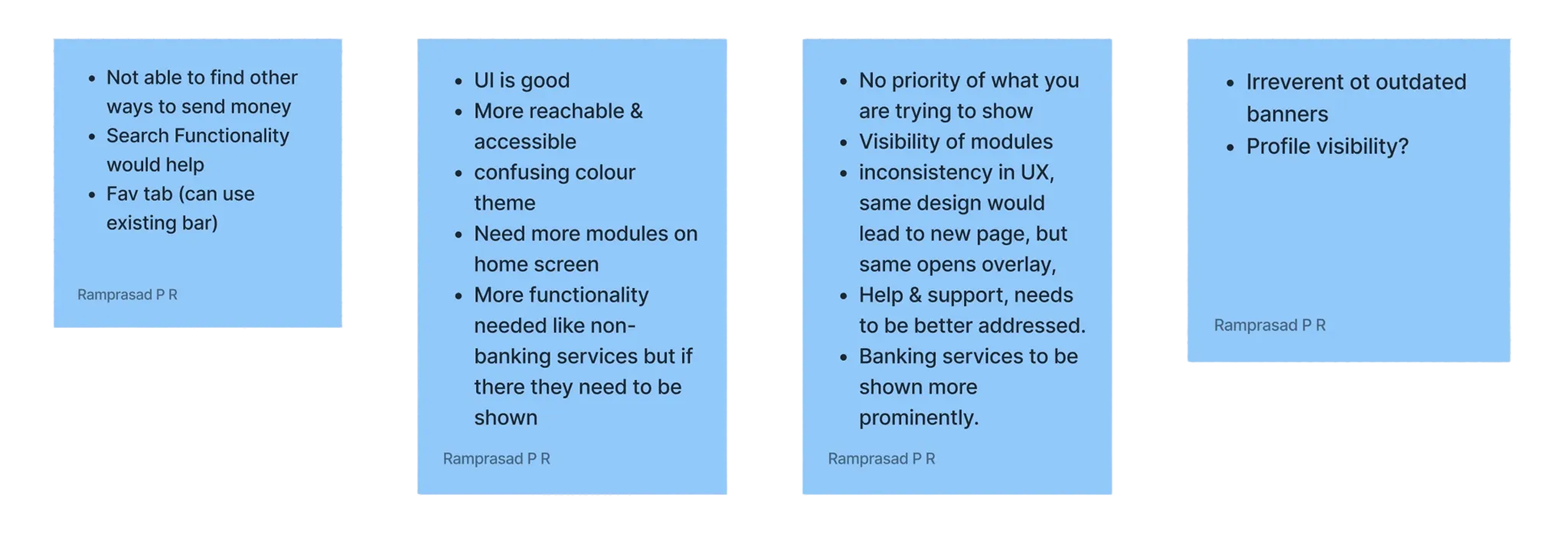
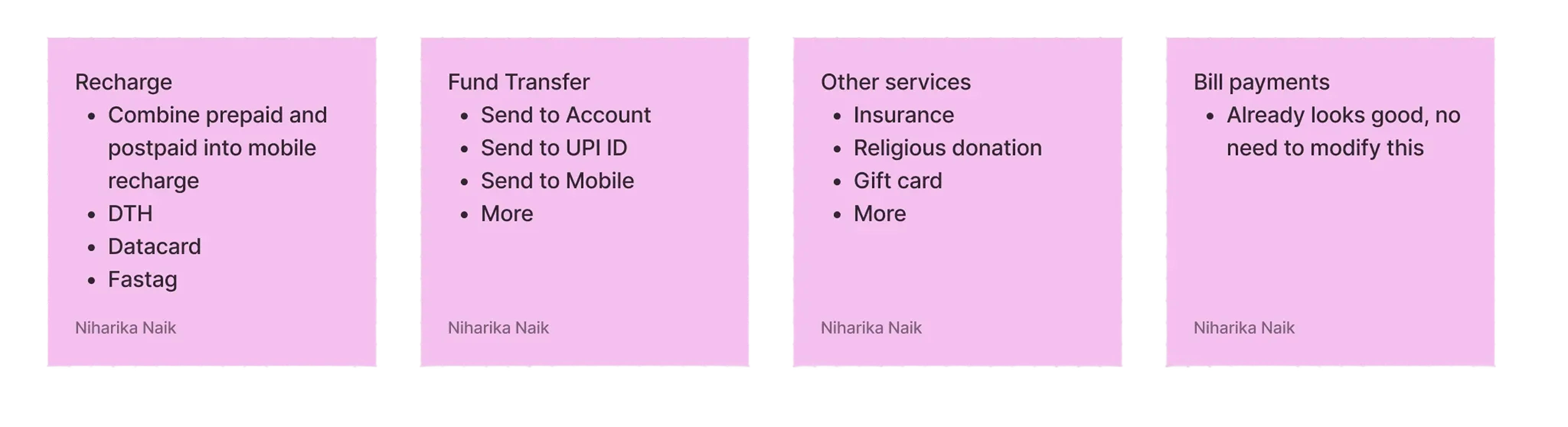
48 interviews (26 led by me) and 65 session recordings. Analytics showed what was happening; interviews showed why. Regular users were surprised the app even did bill pay and investments.
"I've used this app for 2 years and had no idea I could pay piped gas bill here."
Competitive analysis
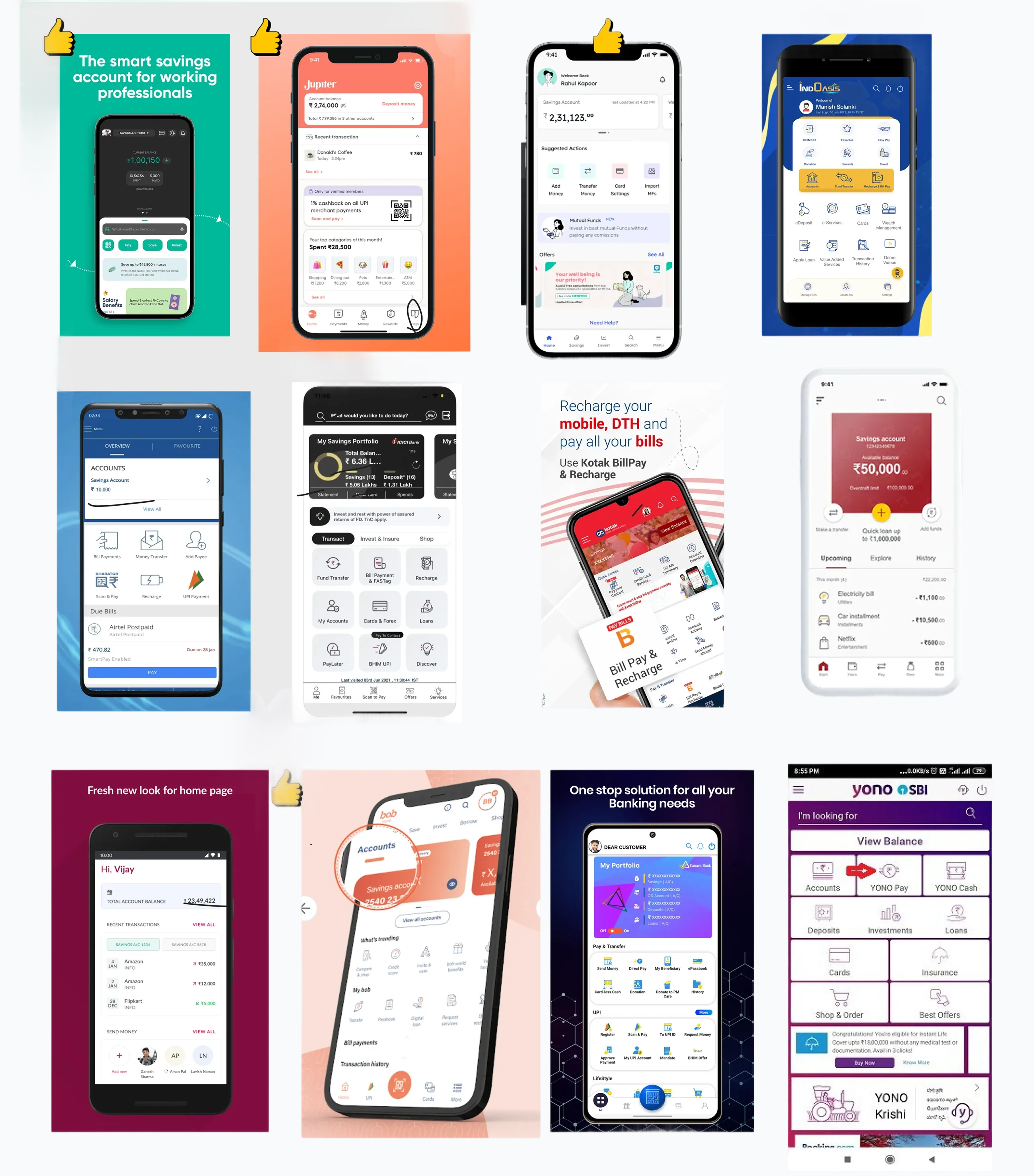
25 apps: 12 Indian banks, 2 international, 11 fintechs. Banks shared FedMobile's dense menus. Fintechs won on a simpler IA and putting the right actions first.
Personas
Interviews and behavioural data gave us three groups. Their goals set how much the home screen showed and how predictable each interaction had to be.
Past decisions & constraints
Credit cards up top, banner promotions, and buried modules had hidden the essentials. Any new structure had to live inside the constraints above.
Ideation
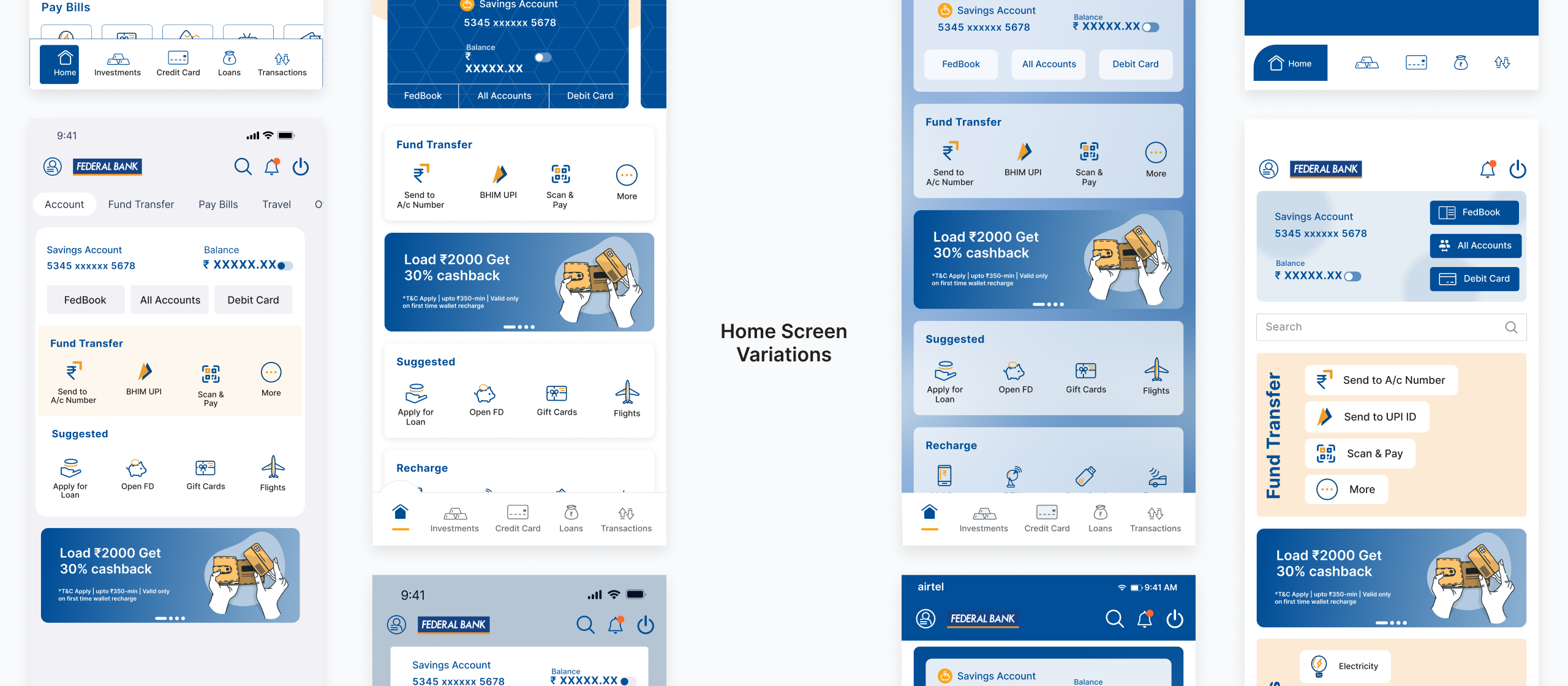
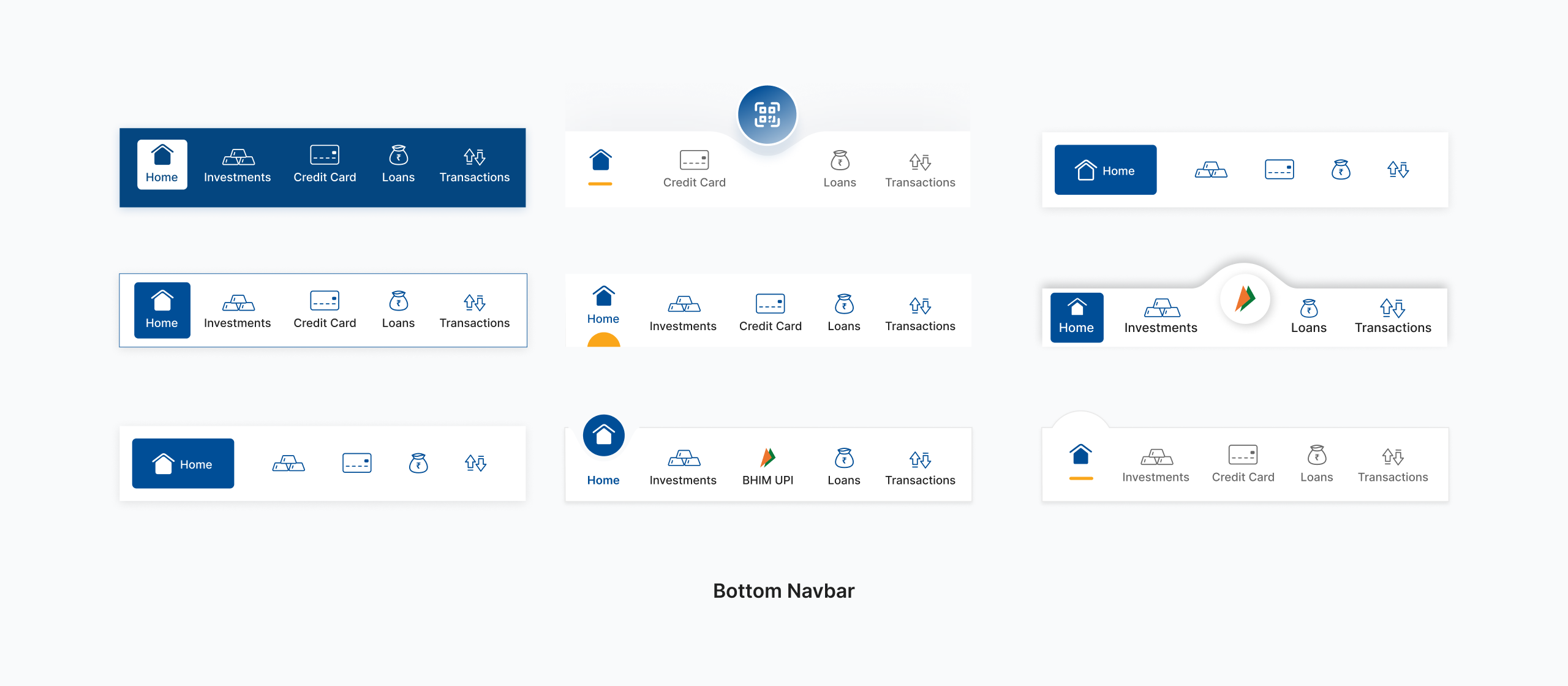
I sketched layouts, module groupings and interaction patterns. Every mid-fidelity variant had to pass cross-functional review on discoverability, scalability and SDK feasibility.
Information architecture
Grouping and module hierarchy that make things easier to find.
Scalable design system
Icons, cards and patterns that stretch to future modules and segments.
Backend-driven layout
Business teams surface high-value modules on their own.
Component consistency
One set of patterns for CTAs, navigation and interactions.
User testing
I ran moderated sessions with 12 participants across three segments, focused on search, Quick Link setup and navigation depth.
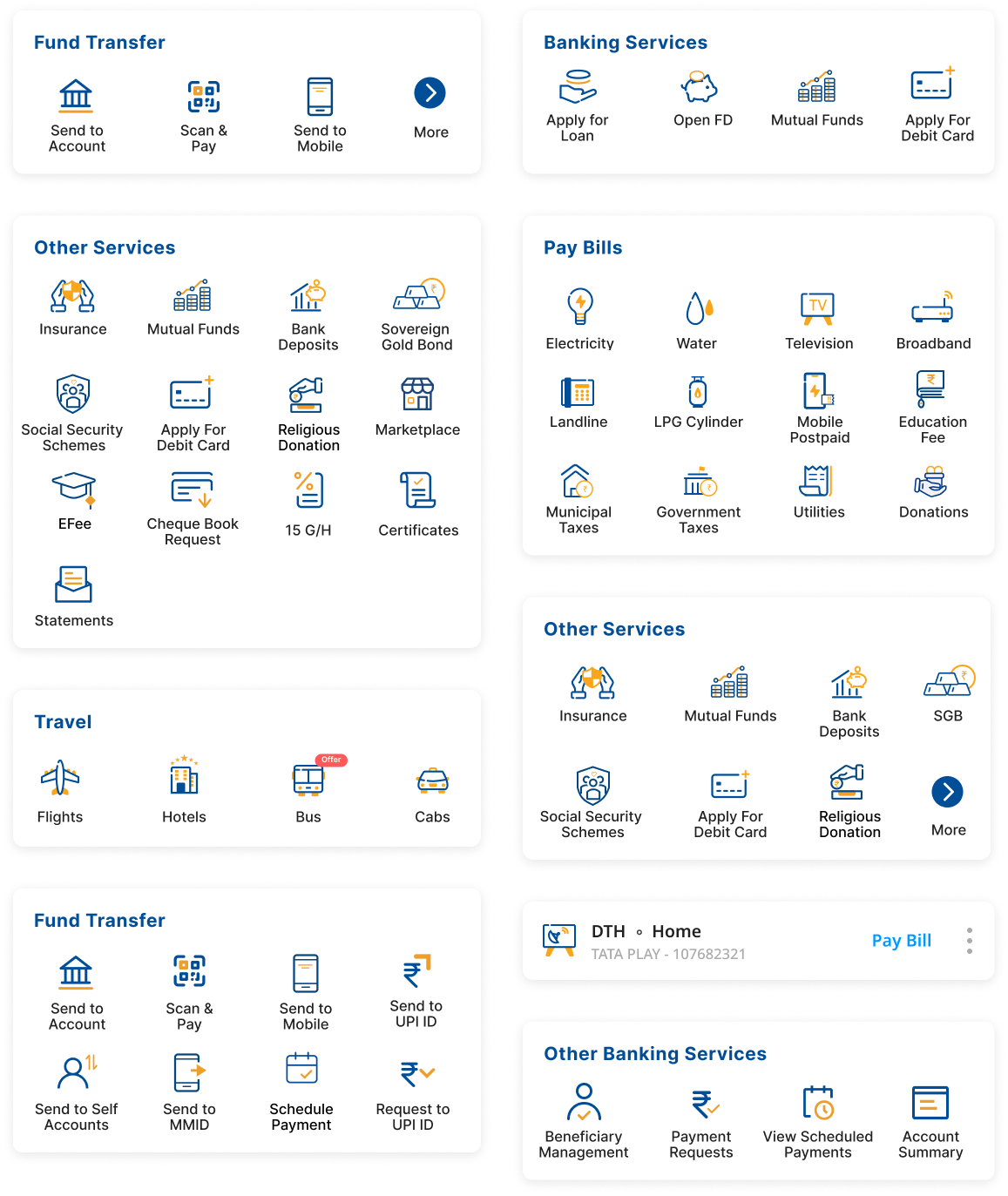
Module prioritisation
People went straight for frequent services, backing the data-driven order and showing where it still needed work. Task paths got shorter, with less backtracking.
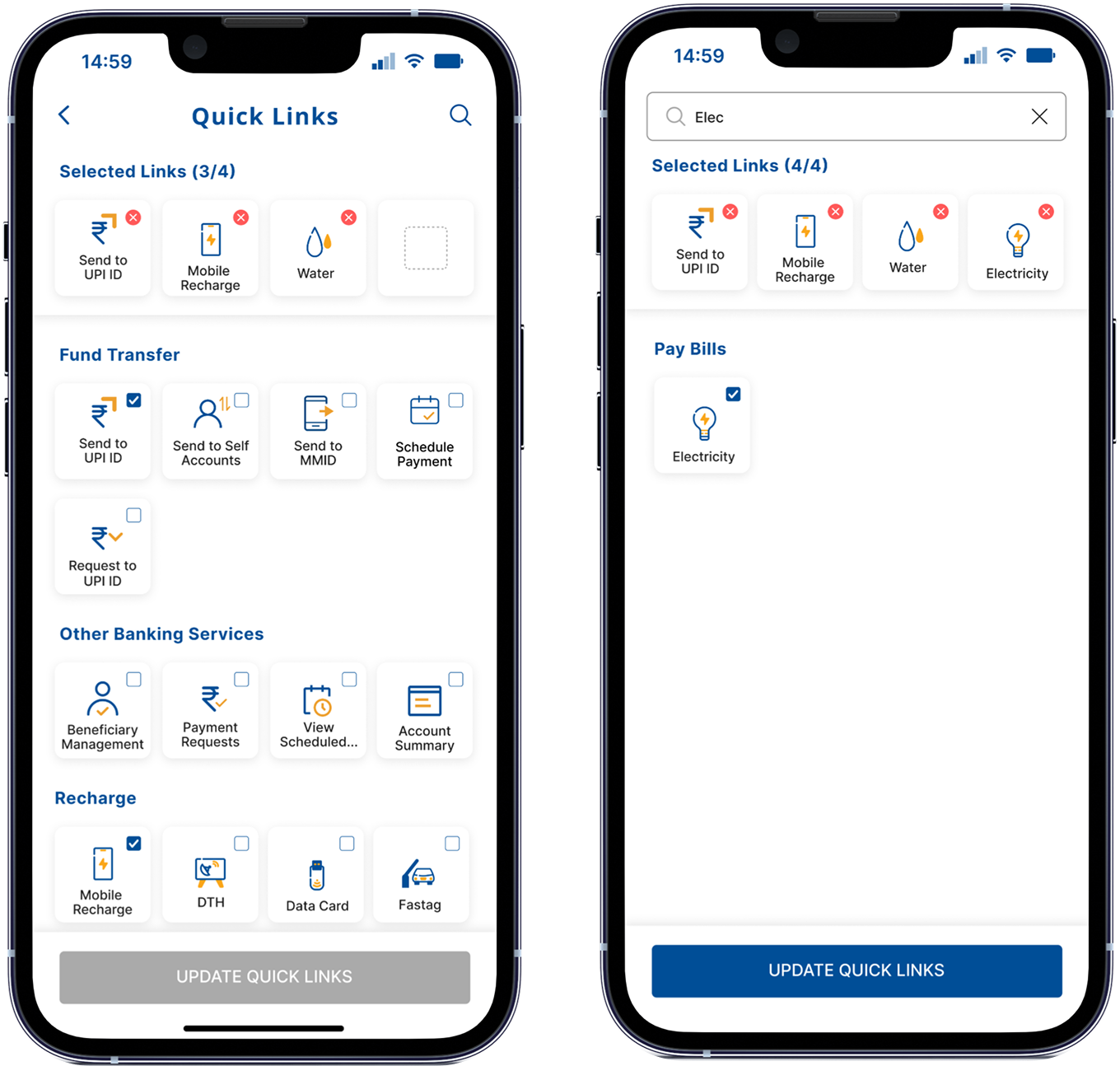
Quick Links
Picking and reordering their own shortcuts felt more natural than system-generated MRUs, and setup was easy across user types.
Interaction behaviour
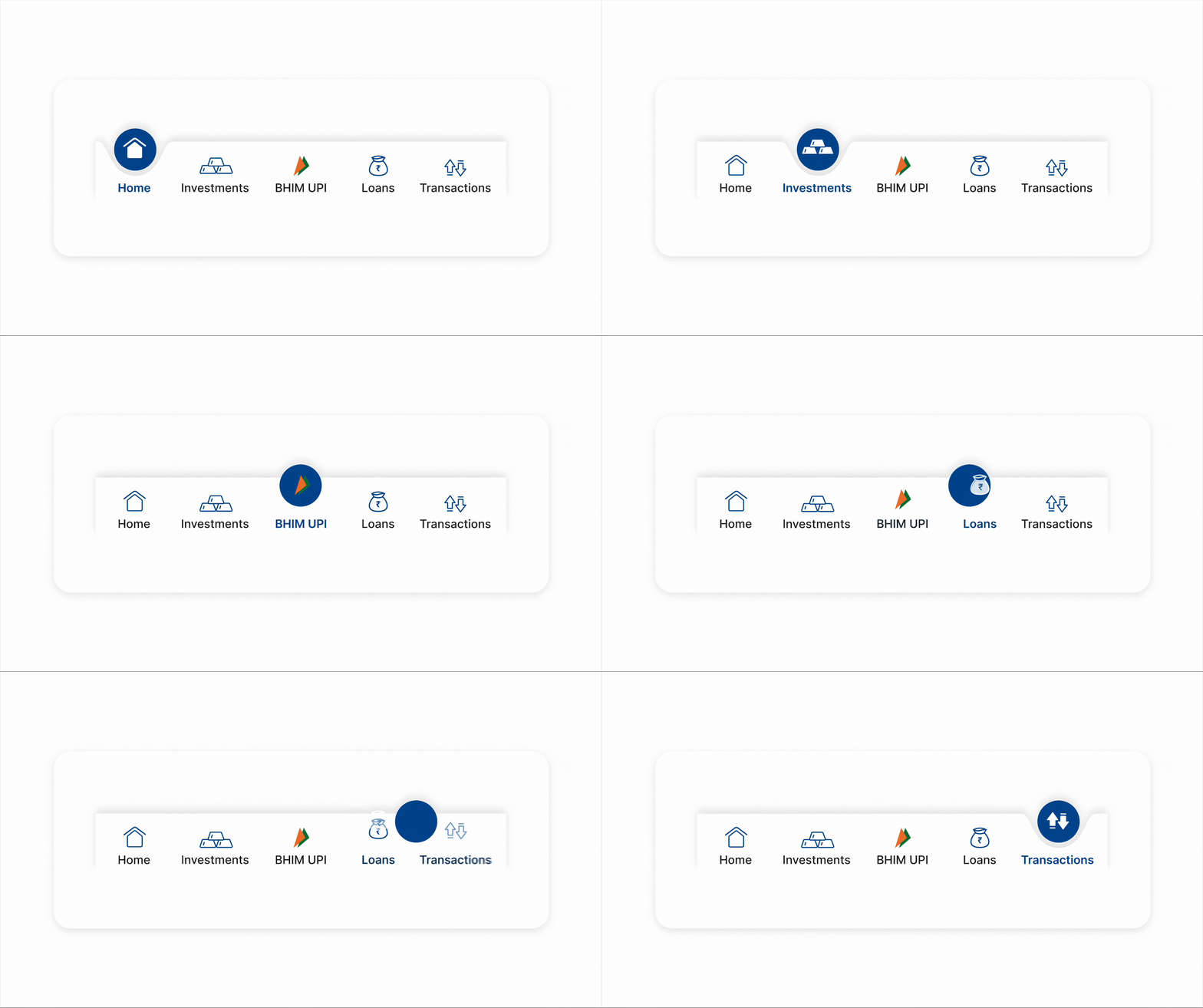
Inconsistent CTAs, ambiguous icons and confusing entry points made people hesitate. We unified CTA patterns and replaced unclear icons.
Accessibility
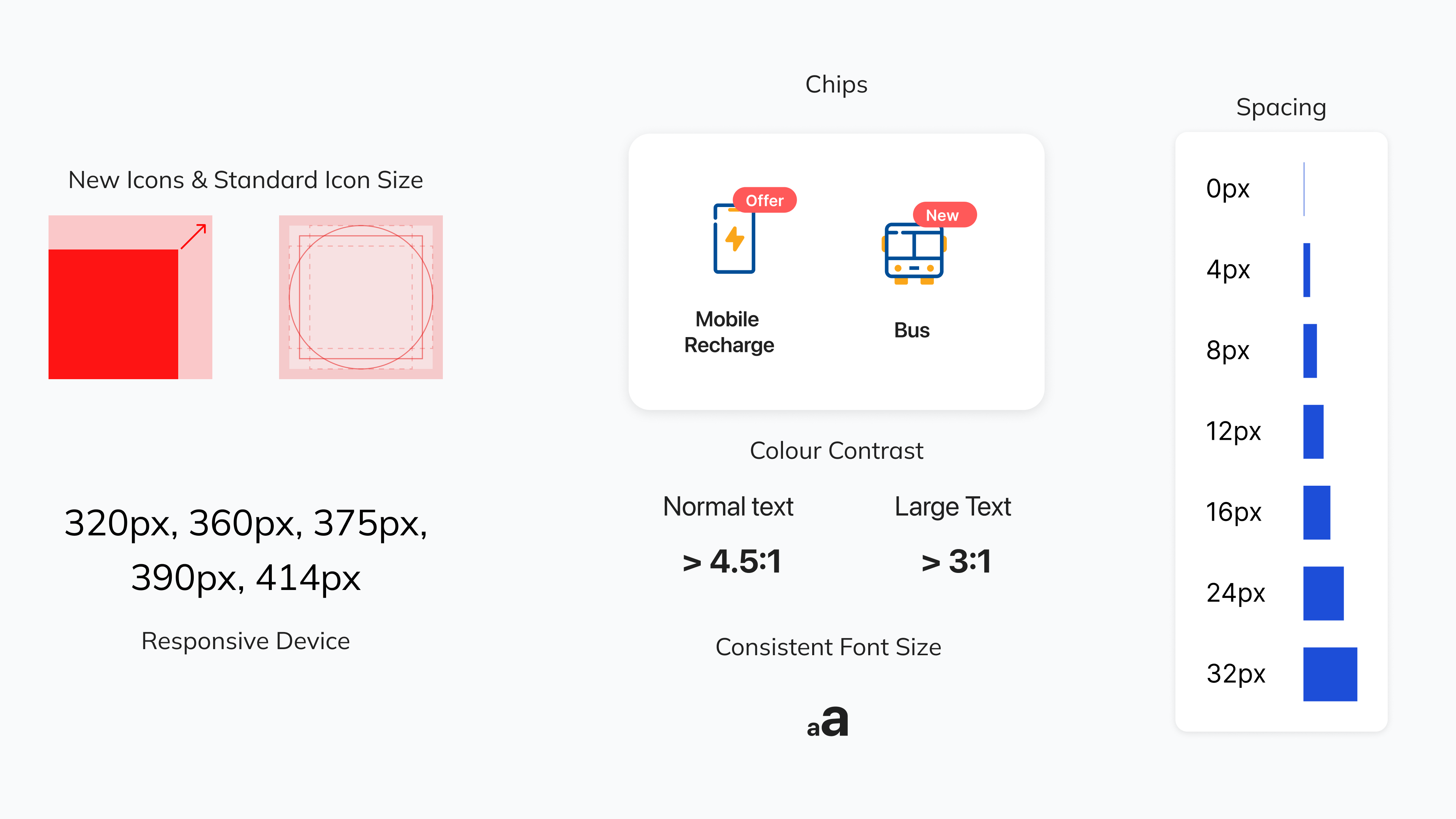
Less experienced users needed clearer visuals and bigger touch targets. We updated contrast, sizing and cognitive load across components, and larger tap areas cut errors on small screens.
Final design
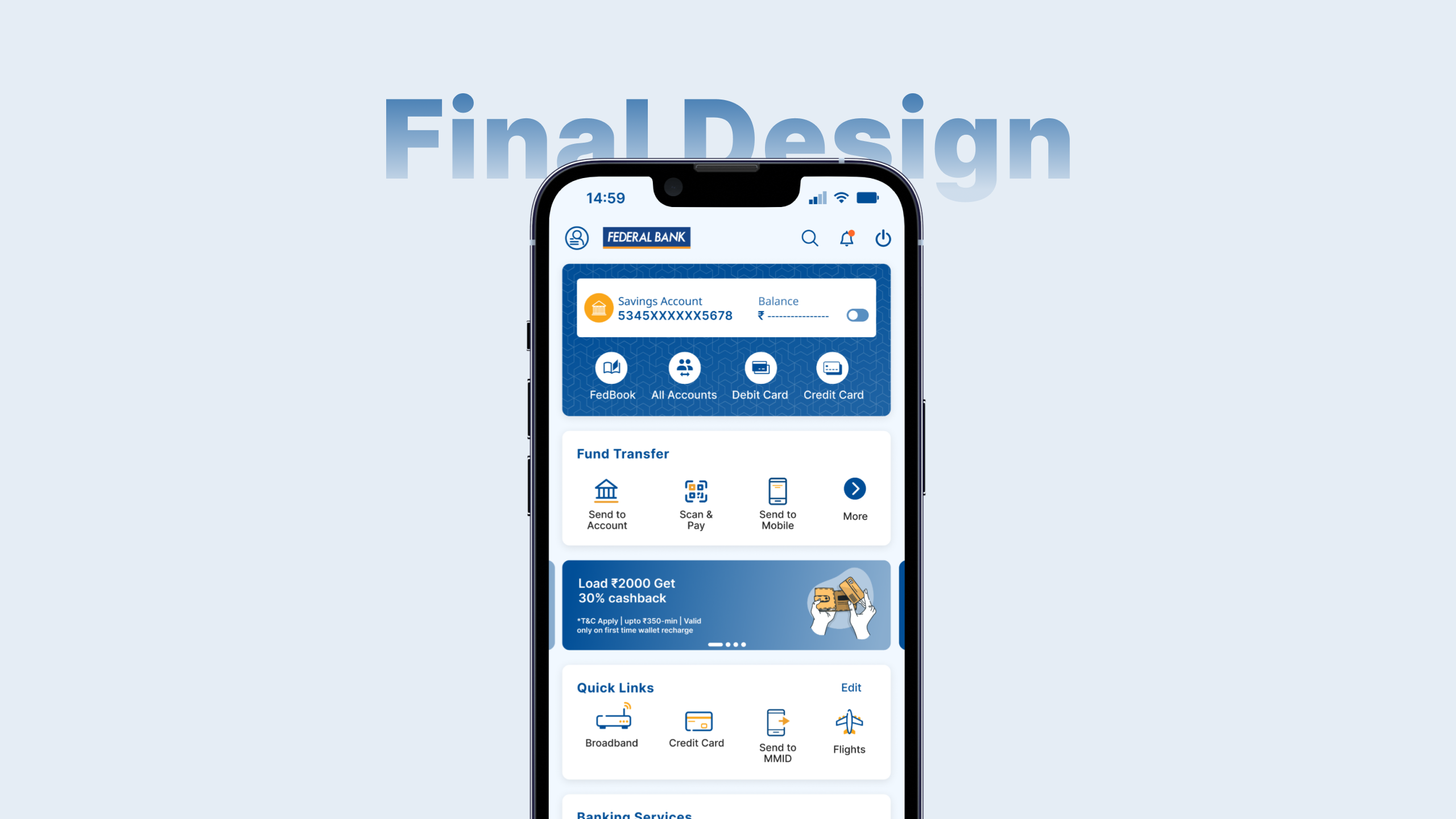
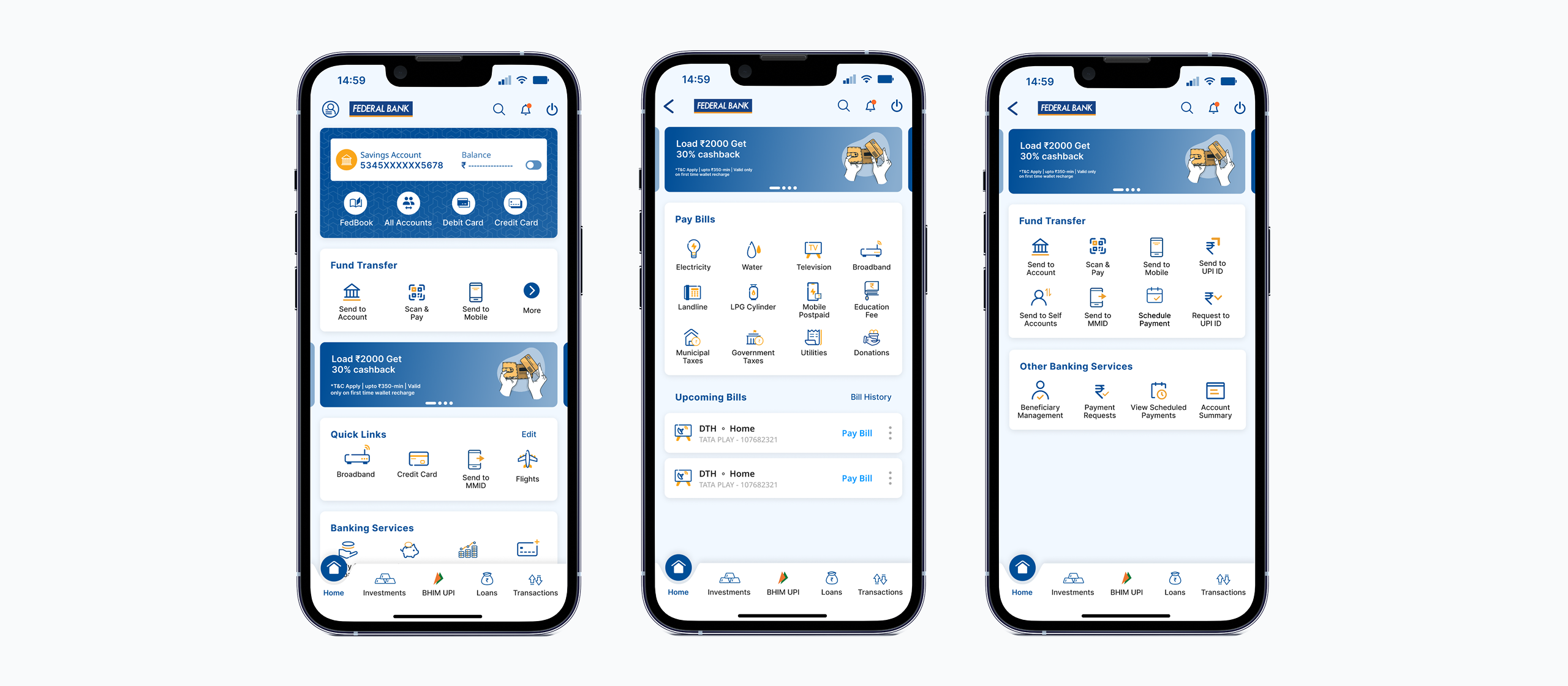
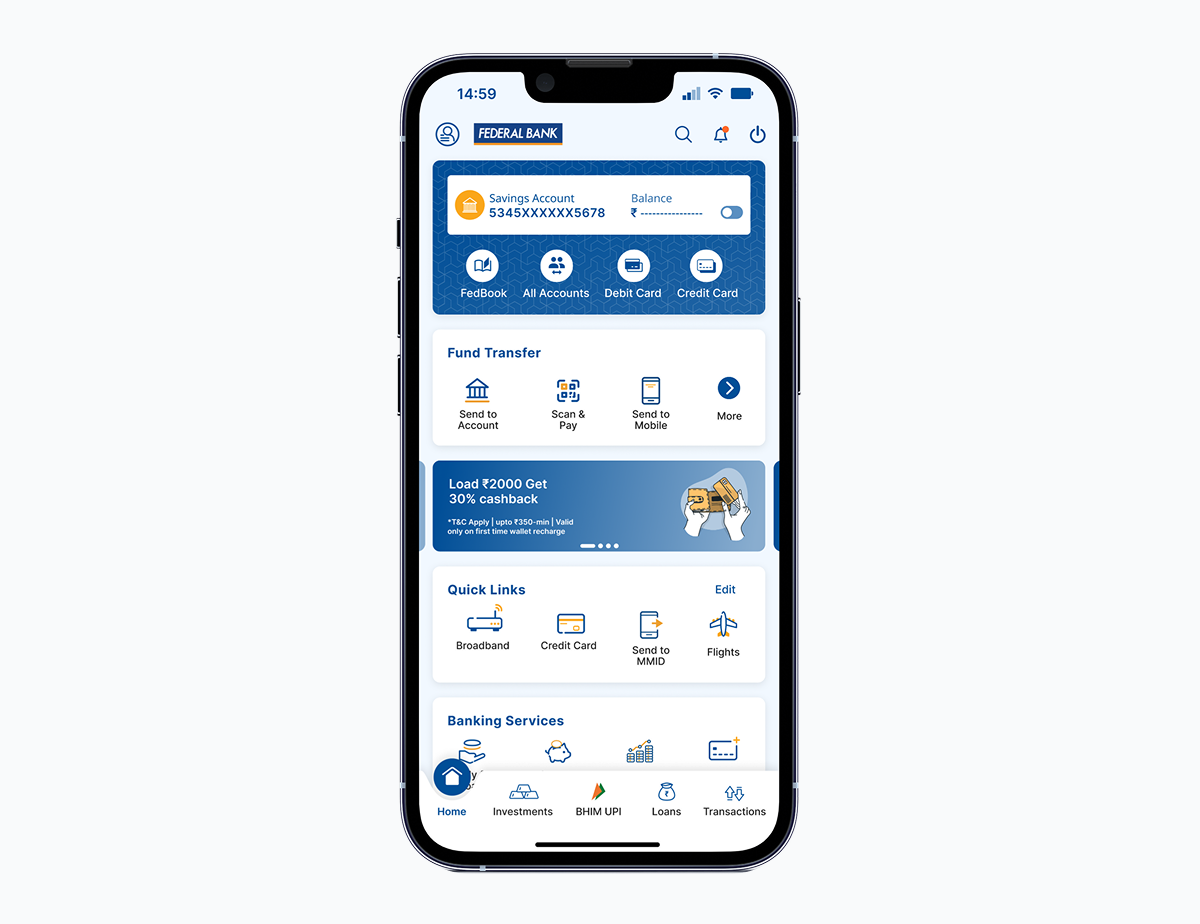
The final home screen rests on three ideas: search for instant access, prioritised modules for discovery, and Quick Links for personal control.
- Scroll and guess to find a service
- Overlapping entry points across modules
- Key banking products hidden under parent categories
- Layout changes needed a UI release
- Icons and CTAs behaved differently by module
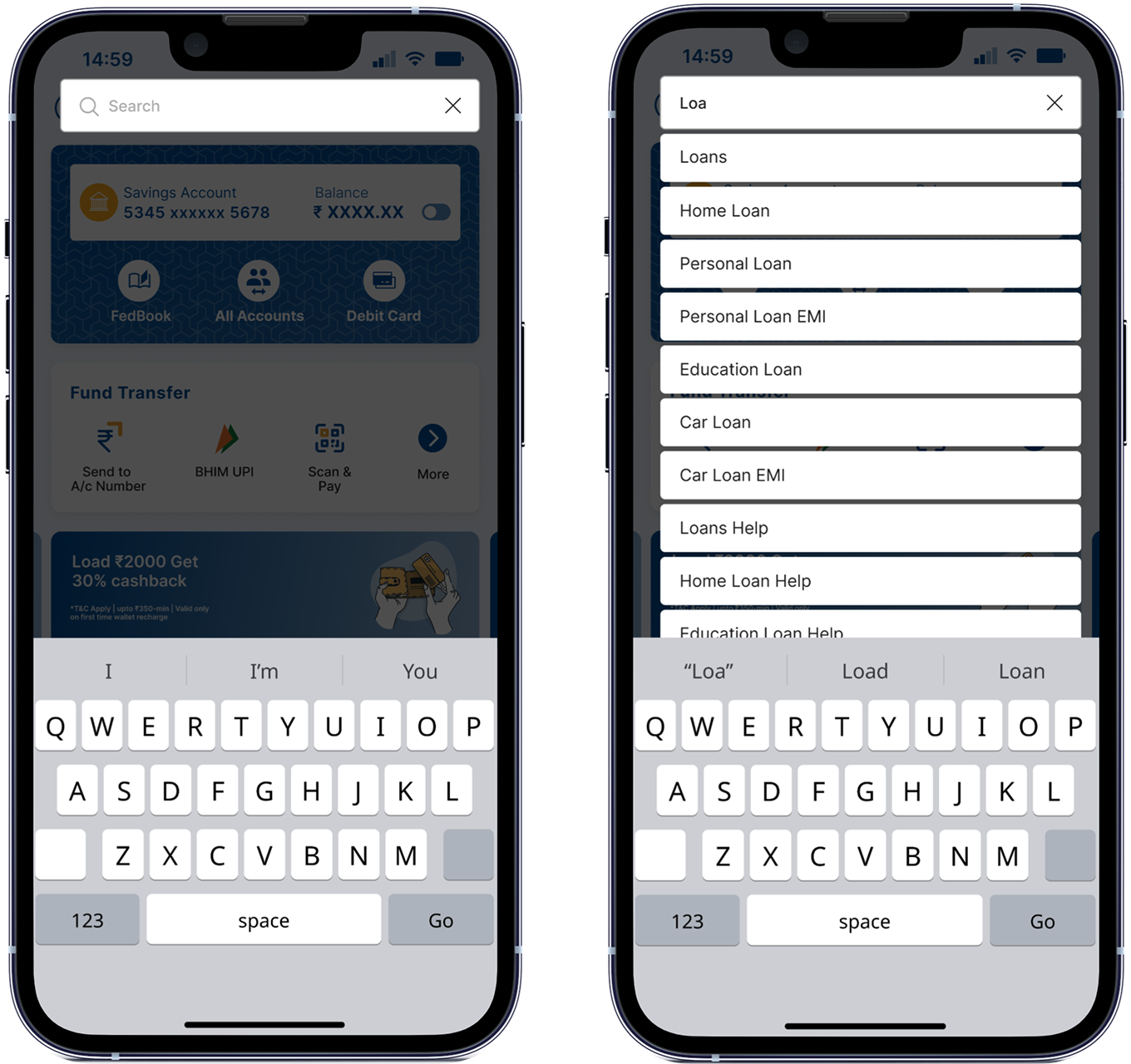
- Search in the top bar, results grouped by category
- One place per task, ordered by priority
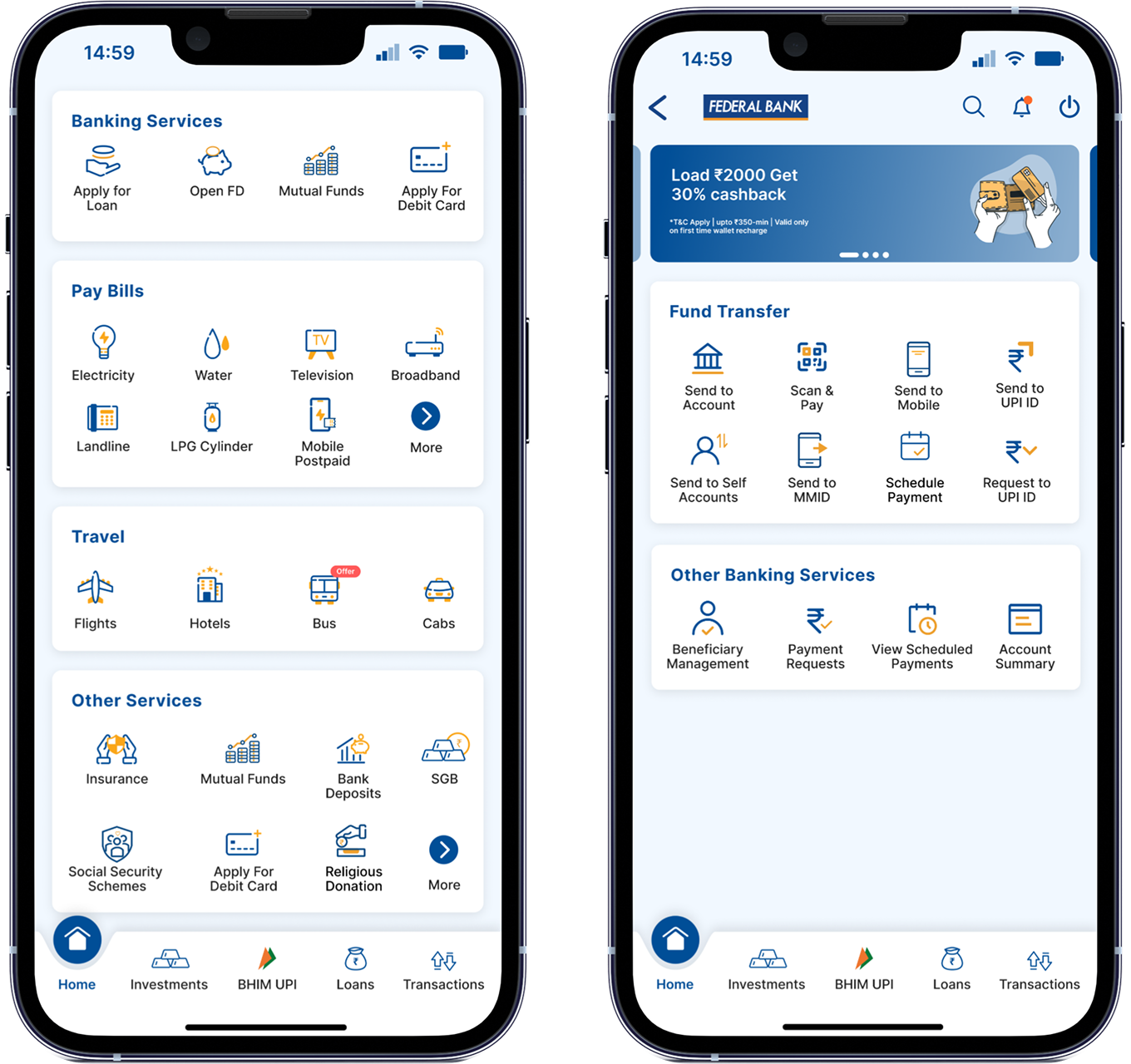
- A banking services card up front
- Business teams configure modules from the backend
- One icon set and consistent CTAs
Search integration
One entry point in the top bar for people who used to scroll, guess or backtrack. Modules, categories and sub-categories show up in one view.
Banking services card
Banking products that used to hide under parent categories get their own card, which business teams configure from the backend.
Updated icon system
Consistent shapes, weights and meaning, so the screen scans easily and feels like one app.
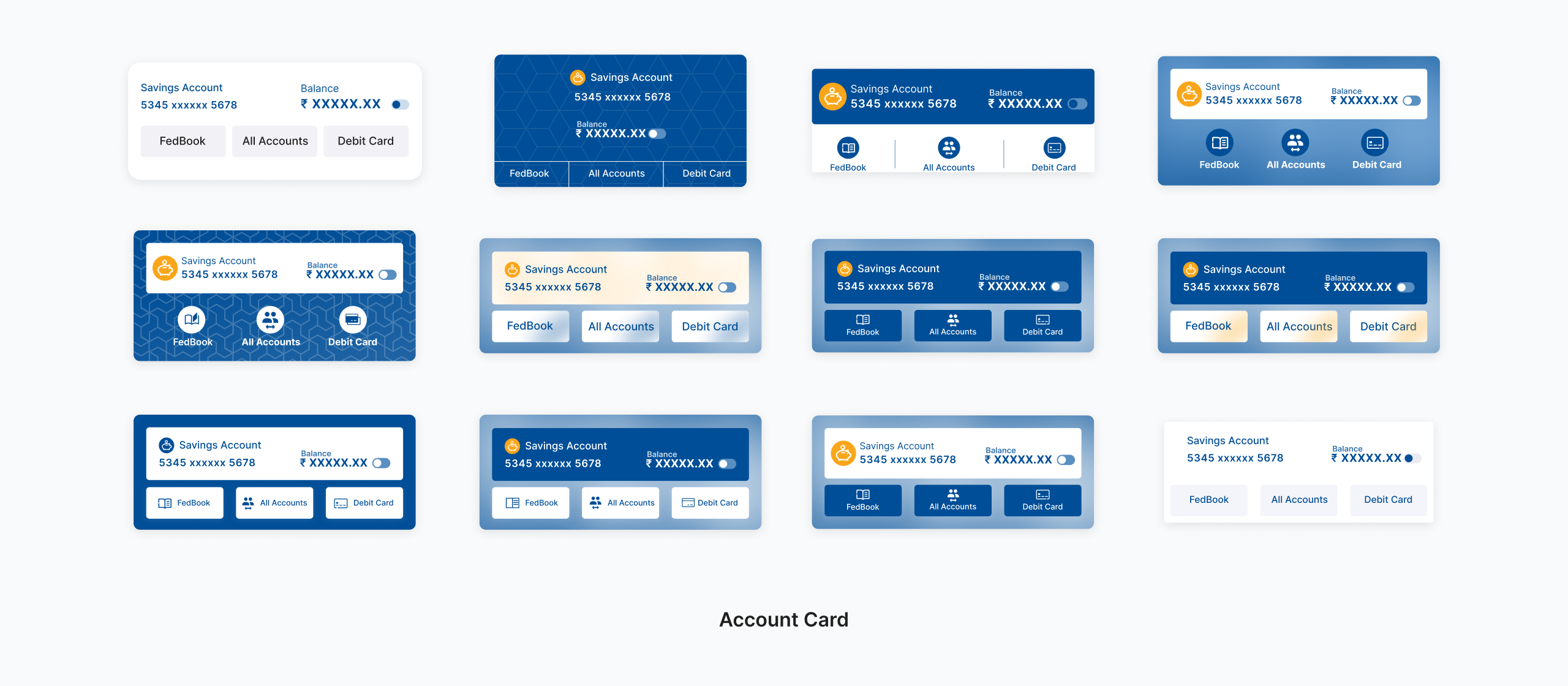
Enhanced account card
Restructured around frequent actions like debit and credit card management, with predictable CTAs.
User type adaptations
Regular, Minor and Celesta users each get their own theme and priorities on the same structure.
Results
People found more, used more of the revenue-driving services, and gave up on fewer tasks. Customers noticed.
KPIs & the levers behind them
Roadmap
- Search-first navigationWith categorised results
- Quick LinksWith guided setup
- Banking services cardConfigurable from the backend
- Icon system & account cardRefreshed for clarity
- Per-segment themesFor Regular, Minor and Celesta users
- Investments moduleMutual funds and deposits as home screen cards
- More banking servicesLoans, cards and deposits via the services card
- Personalised module orderDriven by usage analytics
- Lifestyle & payments hubBills, recharges and travel in one place
- Proactive suggestionsBased on context, like bills that are due
- Same structure deeperCarried into the flows behind each new module
Ways of working
Daily
Worked with 2 PMs, a data analyst and 6 engineers, alongside QA and business stakeholders.
Bi-weekly
Walked the head of digital banking through progress and decisions.
What didn't work
My first search showed too many ungrouped results, so people scrolled instead. Grouping by category (Payments, Services, Settings) drove the 27% rise in search usage.
Quick Links onboarding was too passive; people didn't realise they could customise. A guided setup asking for their top 4 modules took adoption to 26% of home screen users in month one.
What I learned
Designing for the margins
If it works for a first-time smartphone user in rural India, it works for everyone, and it made the app clearer for all 10M+ users.
Data shows what, users show why
Analytics said 67% of services went unused. Interviews said people didn't know they existed. I needed both.
Alignment before pixels
My most important call wasn't a design choice. Agreeing on an overhaul, not a patch, saved months of incremental work.