SecureFlow: GitHub-native secret detection
Secrets were only caught after merge. I designed SecureFlow, a GitHub plugin that catches them inside the pull request, explains them, and guides the fix without leaving GitHub.
- Problem
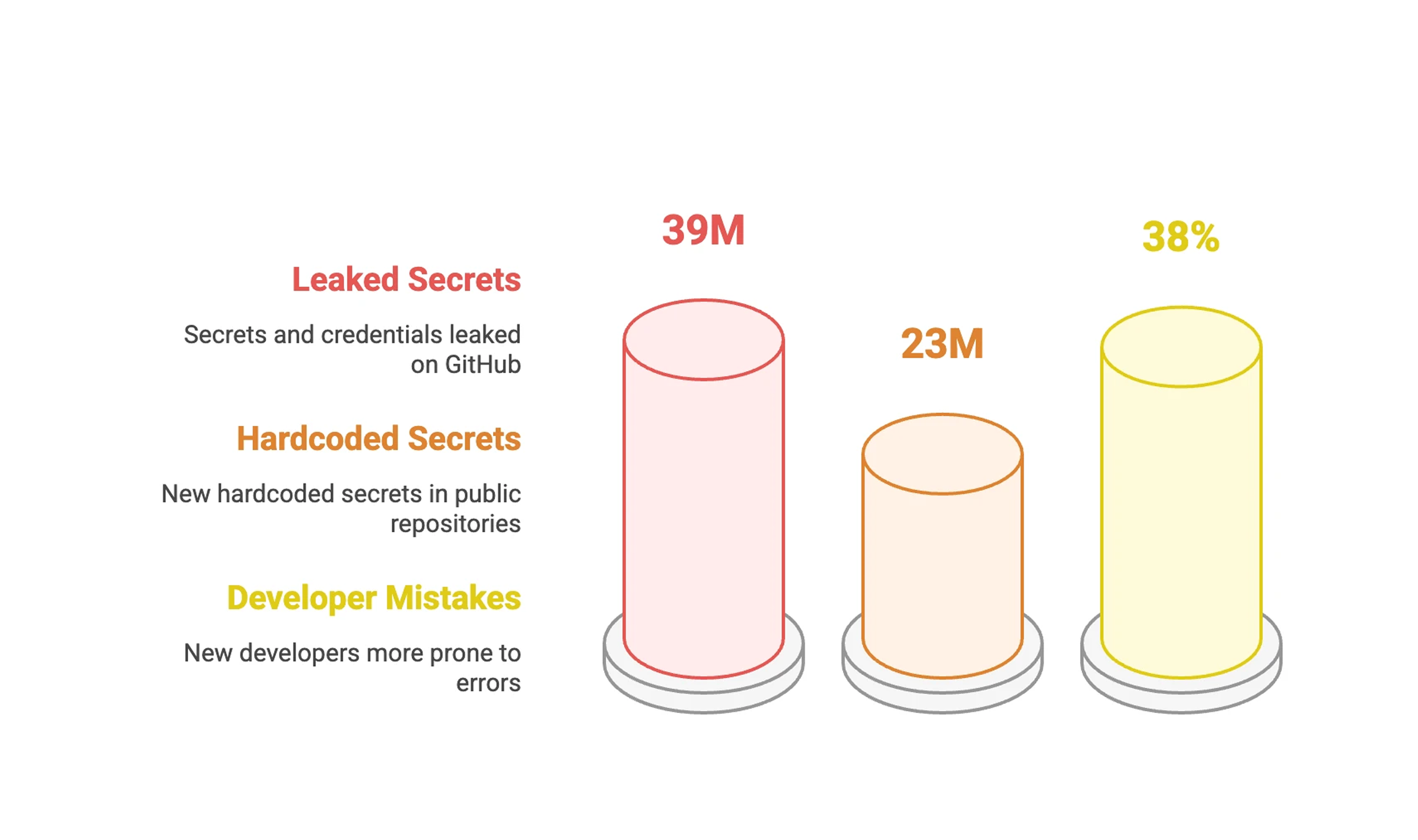
- Secrets were only caught after merge. One AWS key stayed live in production for 60+ hours, and developers saw 80% of alerts as noise.
- My role
- Product Designer, end-to-end: research, the PR experience, and team dashboards.
- Key decision
- Catch secrets inline in the pull request, not in a separate dashboard, and block only what's critical.
- Outcome
- 42% fewer unresolved secrets, 17% faster PR reviews, and 50% fewer security-related rollbacks.
Context
A developer opened a pull request on a Friday afternoon with an AWS key buried in the diff. The scanner didn't flag it until Monday, after the key had been live in production for 60+ hours. Cleanup took a full sprint: key rotation, audit review, incident report, compliance paperwork.
"By the time security tools tell me something is wrong, it is already a fire drill."
My role
I owned the work from research to shipped product. The big calls were mine: inline remediation over external dashboards, coaching over punitive alerts, and a 2-minute PR resolution threshold. Engineering preferred a standalone dashboard; research and side-by-side prototypes won the case for inline.
Constraints
Workflow
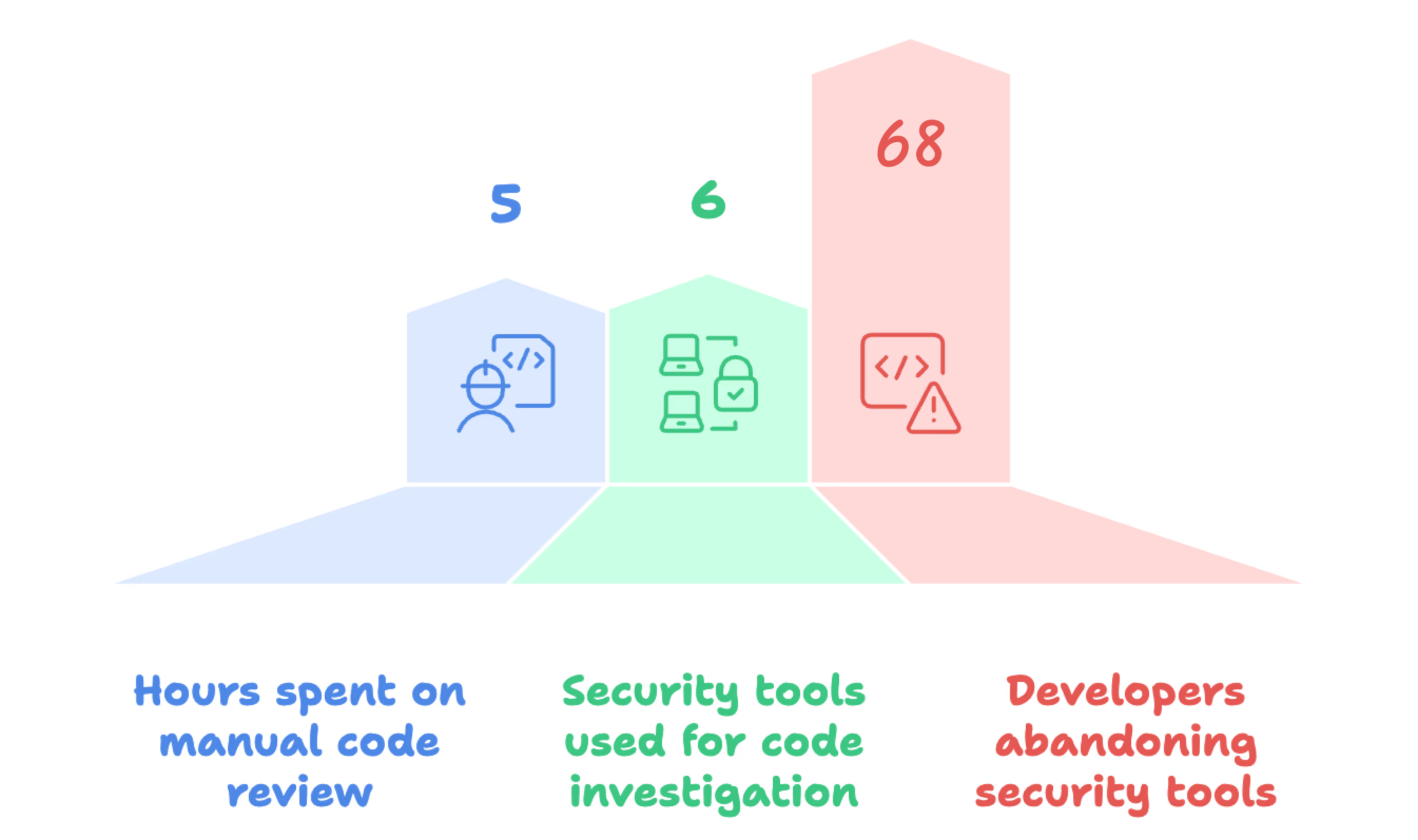
5 of 6 developers said they'd ignore any tool that pulled them out of the PR.
Stakeholder tension
Security wanted to block every merge until secrets were fixed. Developers needed to keep shipping.
Trust
False positives had already burned trust. Anything noisy would be ignored.
North star
"Zero context switching, zero external tools, zero workflow interruption."
Every decision was tested against this: security that lives where code is already reviewed.
Goals
Business
Prevent leaks before merge, cut remediation effort, and win adoption by removing friction.
Developers
Accurate, real-time detection in the PR and fixes without leaving GitHub.
Team leads
See patterns, risky habits and bottlenecks, and coach without micromanaging.
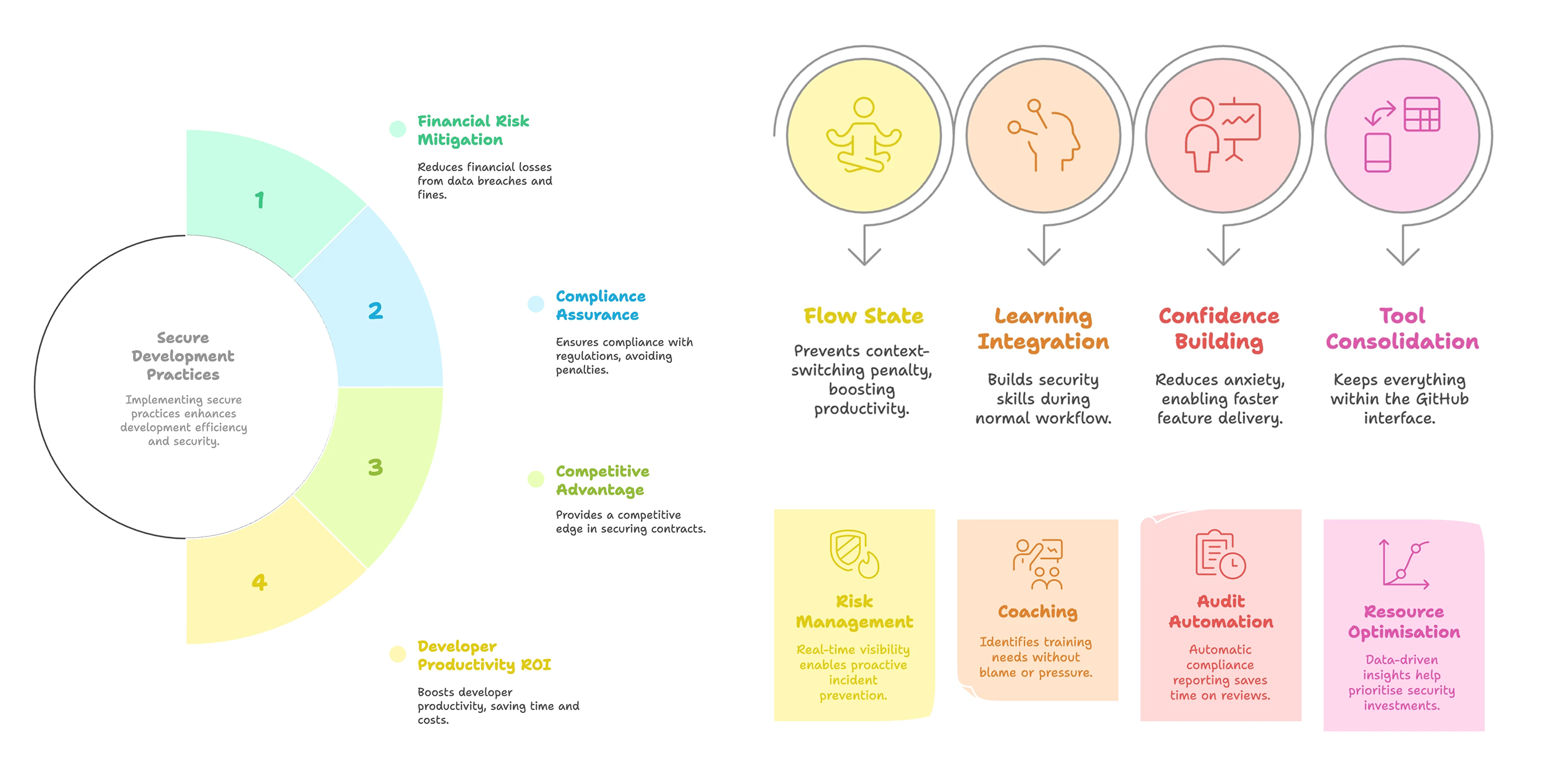
Who it's for & jobs to be done
Developers
"When I create a pull request, I want real-time, high-accuracy secret detection inside GitHub so I can fix issues quickly."
Team leads
"When security issues repeat, I want visibility into patterns so I can coach my team and maintain compliance."

Research & insights
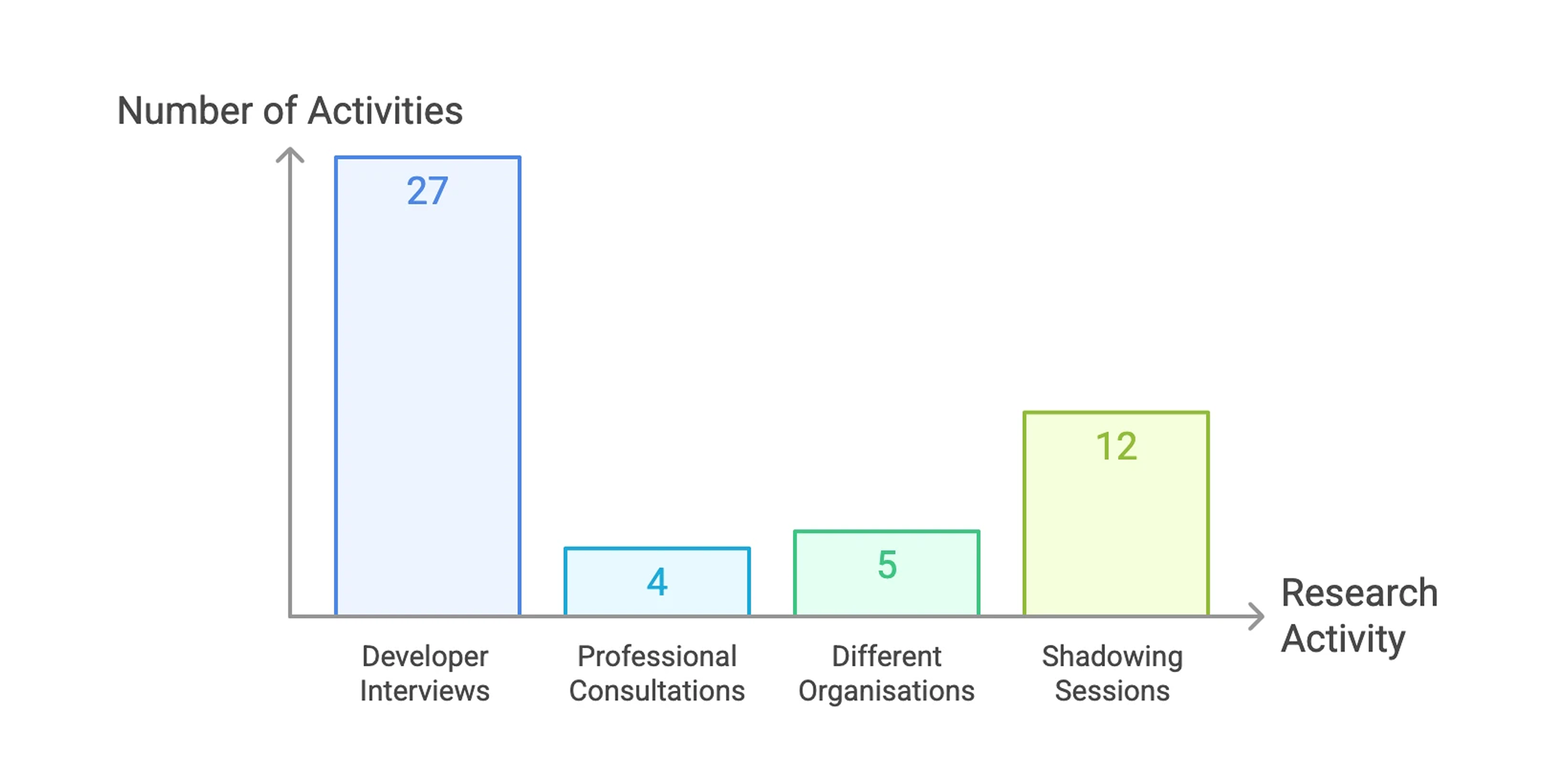
With PM support, I interviewed 6 developers and 3 team leads and shadowed their work across 2 sprint cycles over 2 weeks.
"I stopped looking at security alerts because 80% are noise."
Developers dropped tools that broke their flow, stopped trusting noisy alerts, and paid for every post-merge fix with a context switch.
The problem was timing, not intent. Developers weren't ignoring security. They had no signal until the code was already merged.
Opportunity
Competitors scanned after merge, lived in external dashboards, and were noisy. None gave developers speed and accuracy and leads visibility into recurring risks.
Gaps, each of which became a feature
- No real-time feedback during PR review
- High false-positive noise
- Disconnected workflows requiring context switching
- Lack of trend visibility for leads
Build where developers already work, not alongside it.
Decisions & tradeoffs
| Decision | Options considered | What we chose & why |
|---|---|---|
| Where detection lives | Standalone dashboard (engineering's preference, simpler to build and maintain) | Inline in GitHub pull requests Developers said they'd ignore tools outside the PR. I prototyped both with the tech lead. Tested with developers, inline resolved issues 4x faster. We took on the harder build. |
| How strict to be | Block every merge until all secrets are resolved Warn only |
Tiered severity model Critical secrets block merge. Medium-risk ones warn and allow merge with acknowledgement. Low-risk patterns are informational. |
| How escalation feels | Punitive alerts to leads | Coaching-based escalation Unresolved issues reach leads with context and teachable patterns, so they mentor instead of police. |
| Dismissing false positives | Mandatory written justification (v1) | One-click dismiss plus optional note In v1, developers ignored alerts rather than justify them. A weekly digest now lets leads review dismissals in batch. Compliance rose from 20% to 42%. |
Solution
Developers stay in GitHub, leads get a dashboard of patterns and risks, and the organization gets automatic audit trails.
- Secrets caught after merge, sometimes 60+ hours later
- Findings lived in external tools and dashboards
- 80% of alerts felt like noise
- One leak could cost a full sprint to clean up
- Diff scanned the moment a PR opens
- Inline annotations next to the risky lines
- Tiered severity: only critical secrets block merge
- Guided fixes in under 2 minutes, without leaving GitHub
Installation
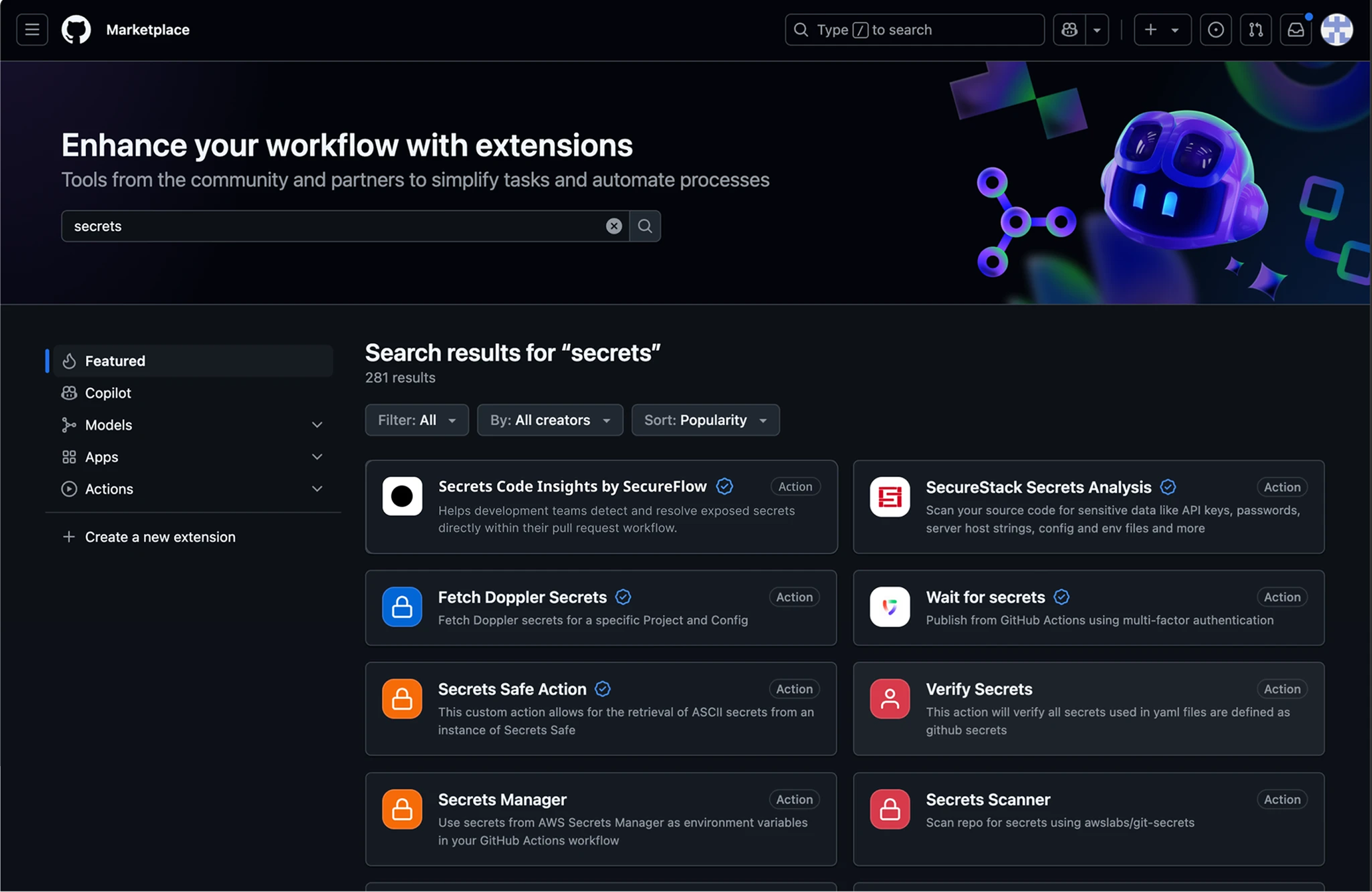
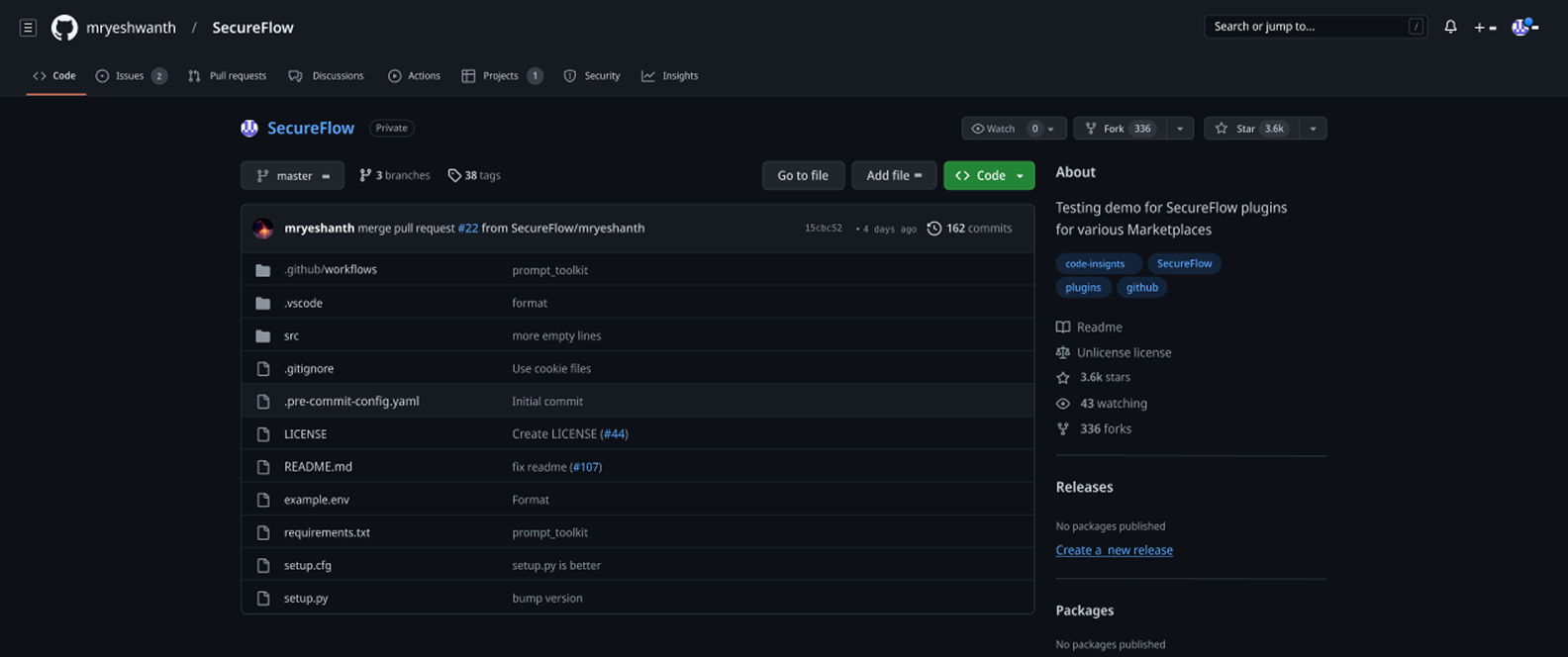
Teams install it from GitHub Marketplace. The listing leads with the GitHub-native workflow, because leaving it was the top reason developers abandoned past tools.
PR check flow
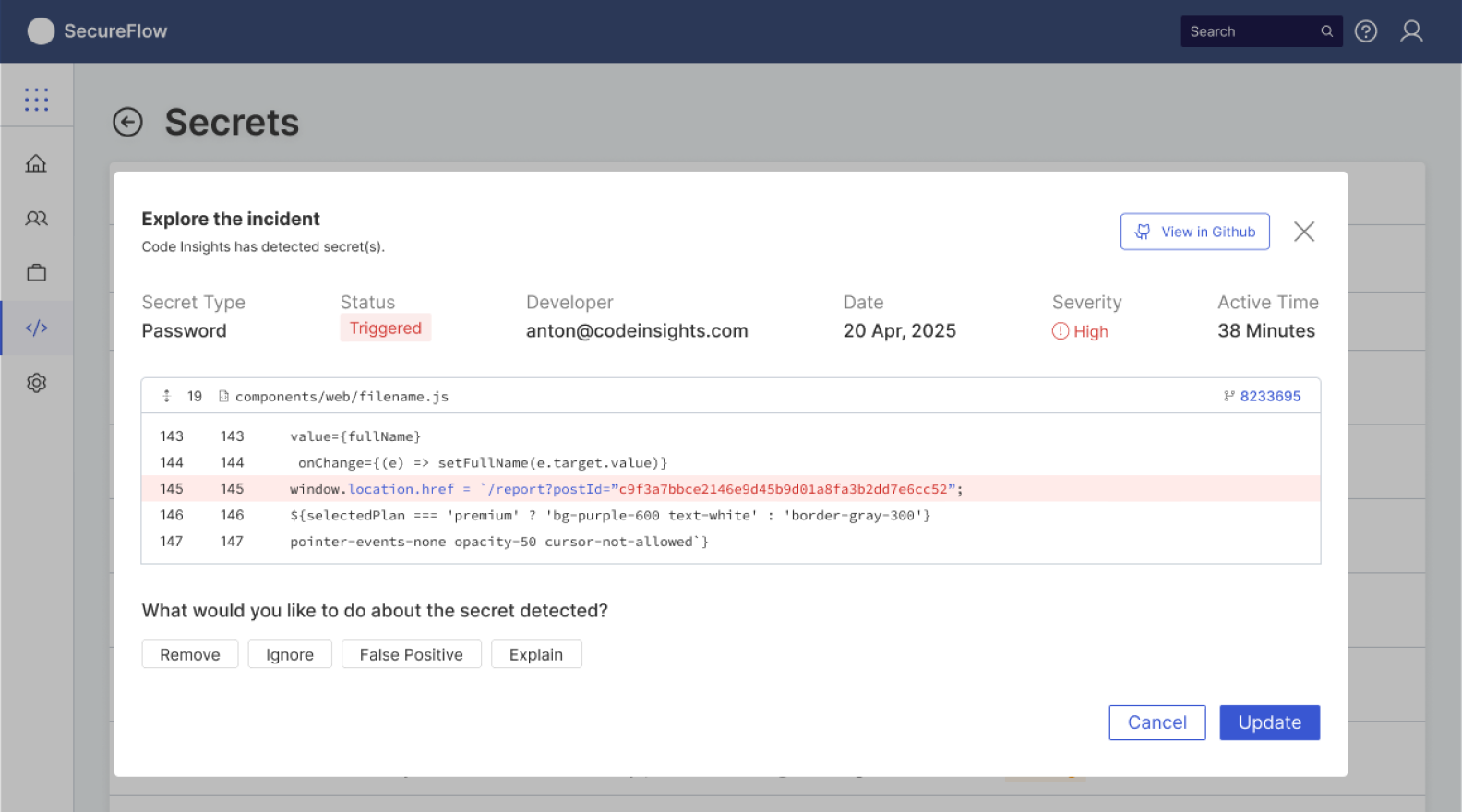
Inline detection
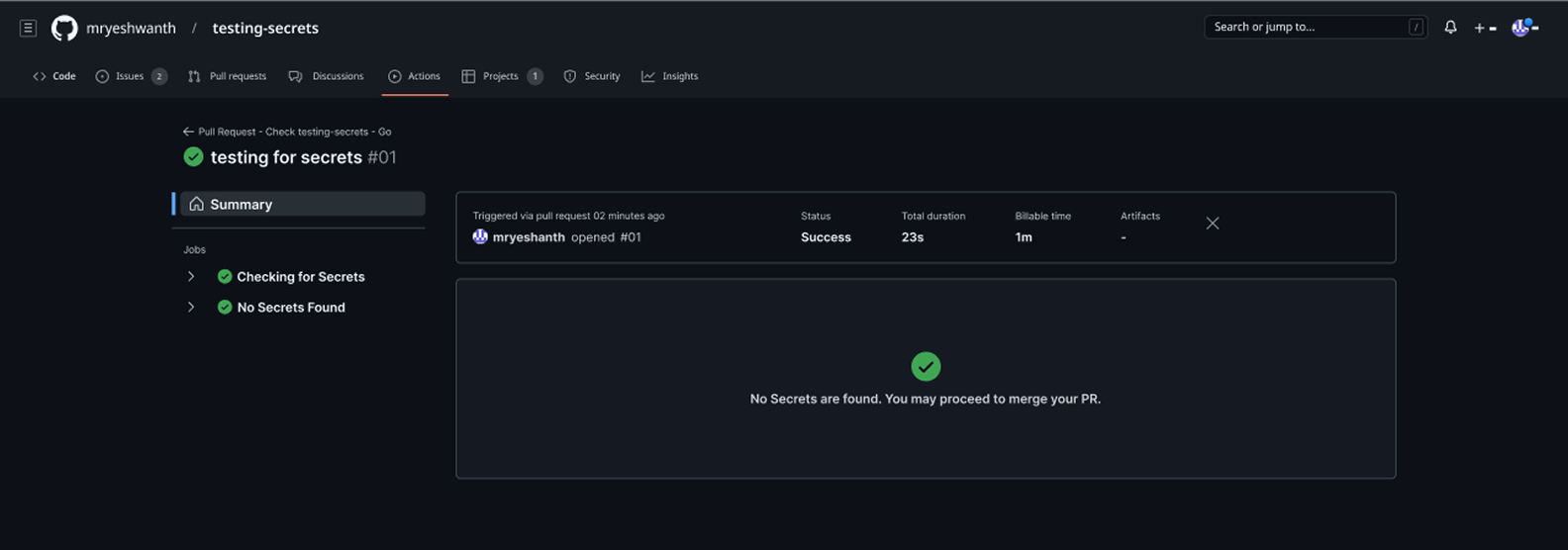
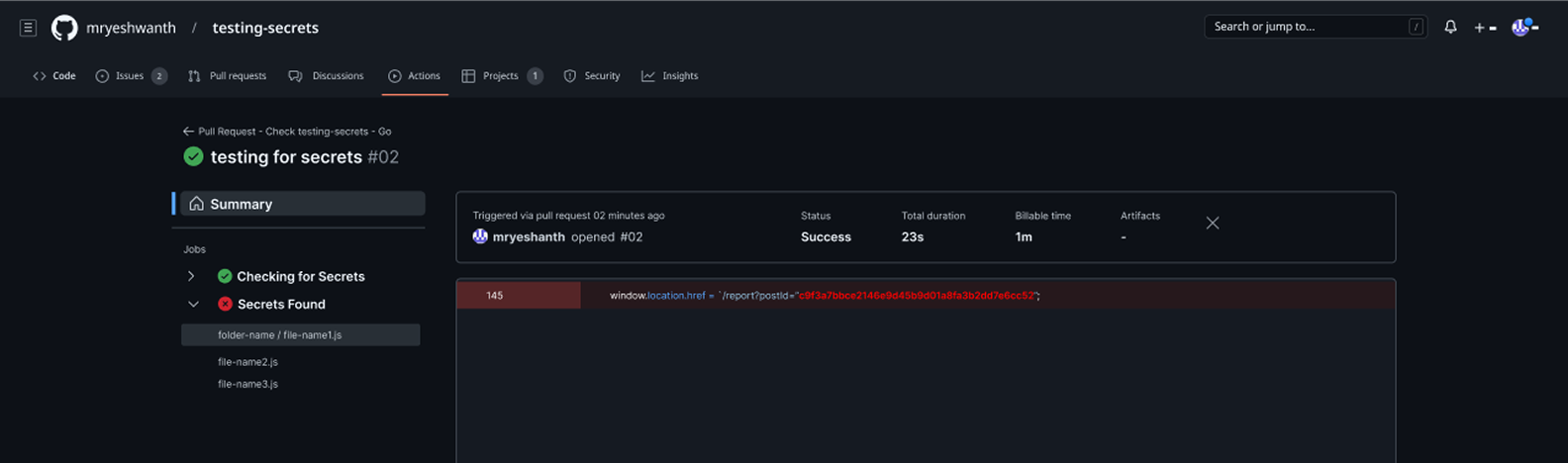
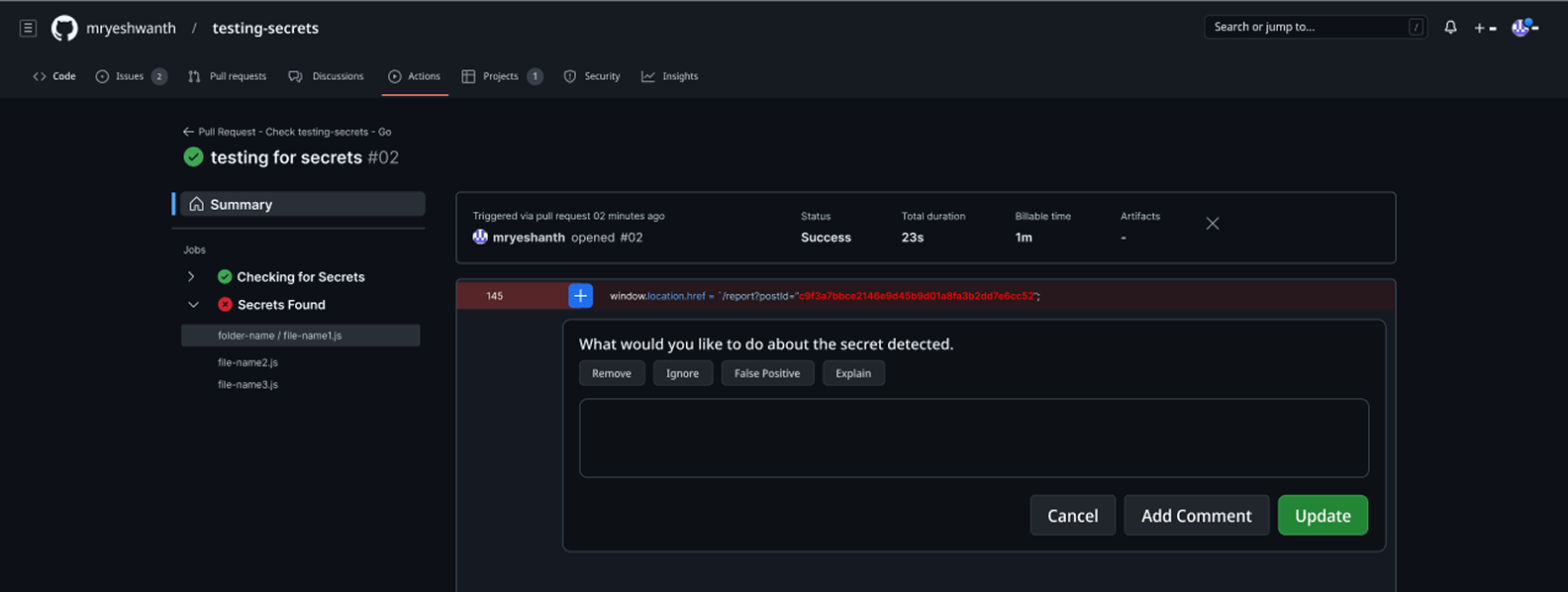
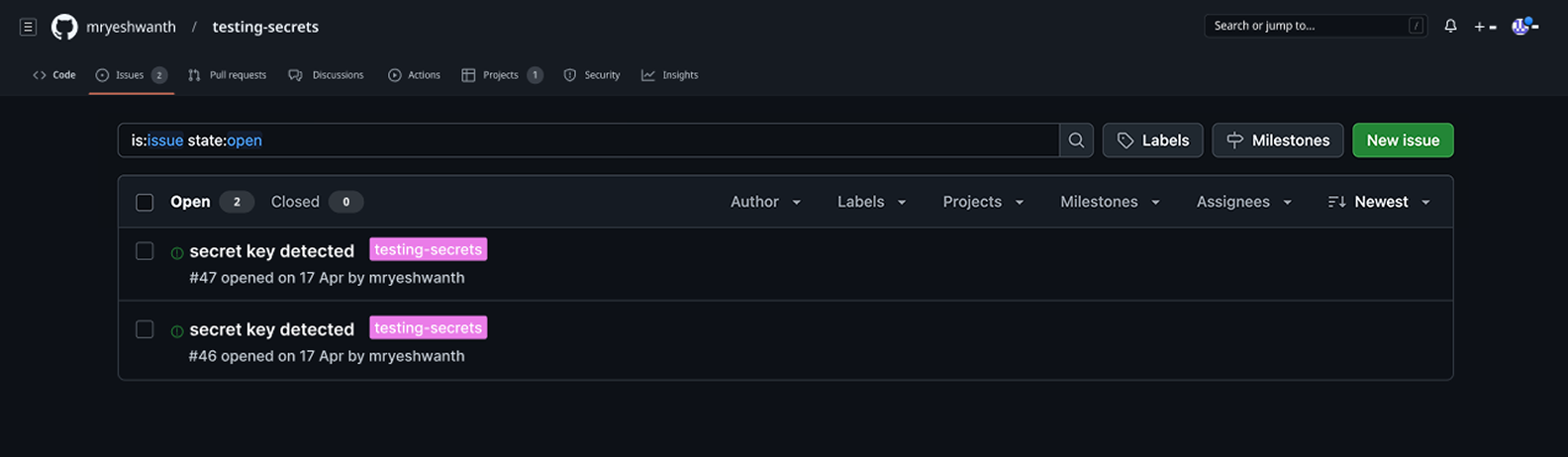
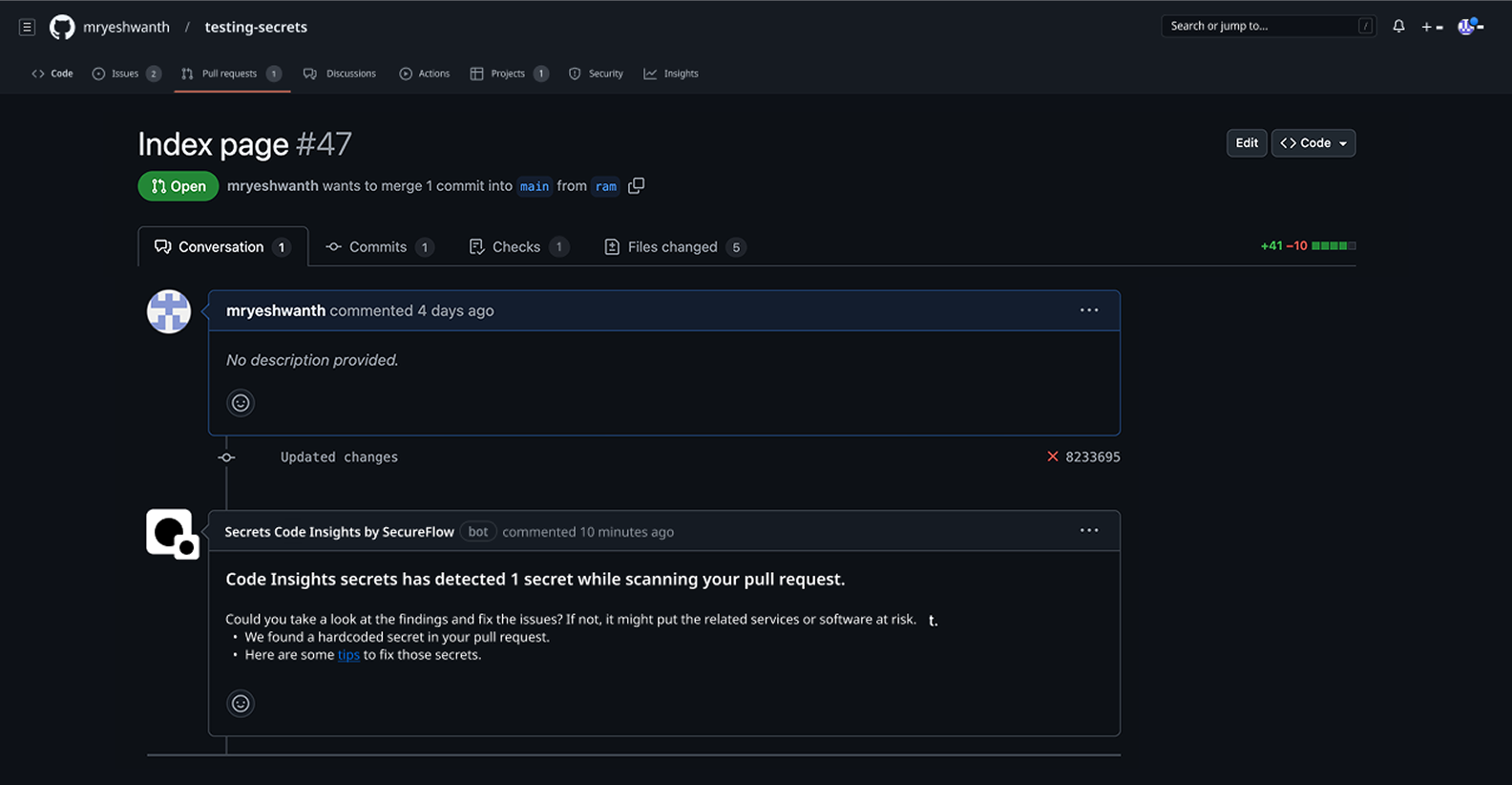
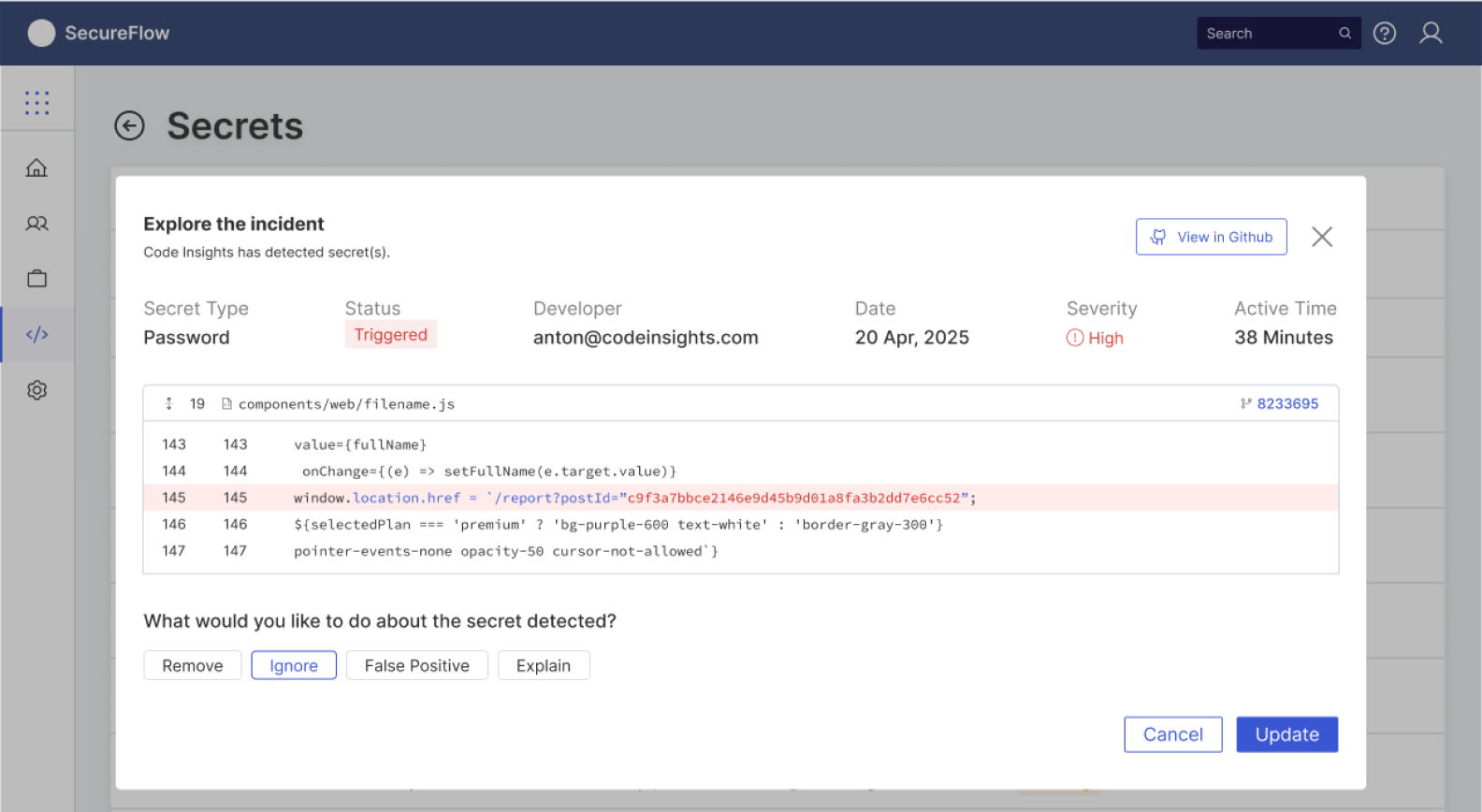
SecureFlow scans the diff the moment a PR opens. A clean diff gets a green check and "safe to merge"; otherwise, annotations appear next to the risky lines. Developers can Remove, Ignore, Mark as False Positive, or Request Explanation.
Guided remediation
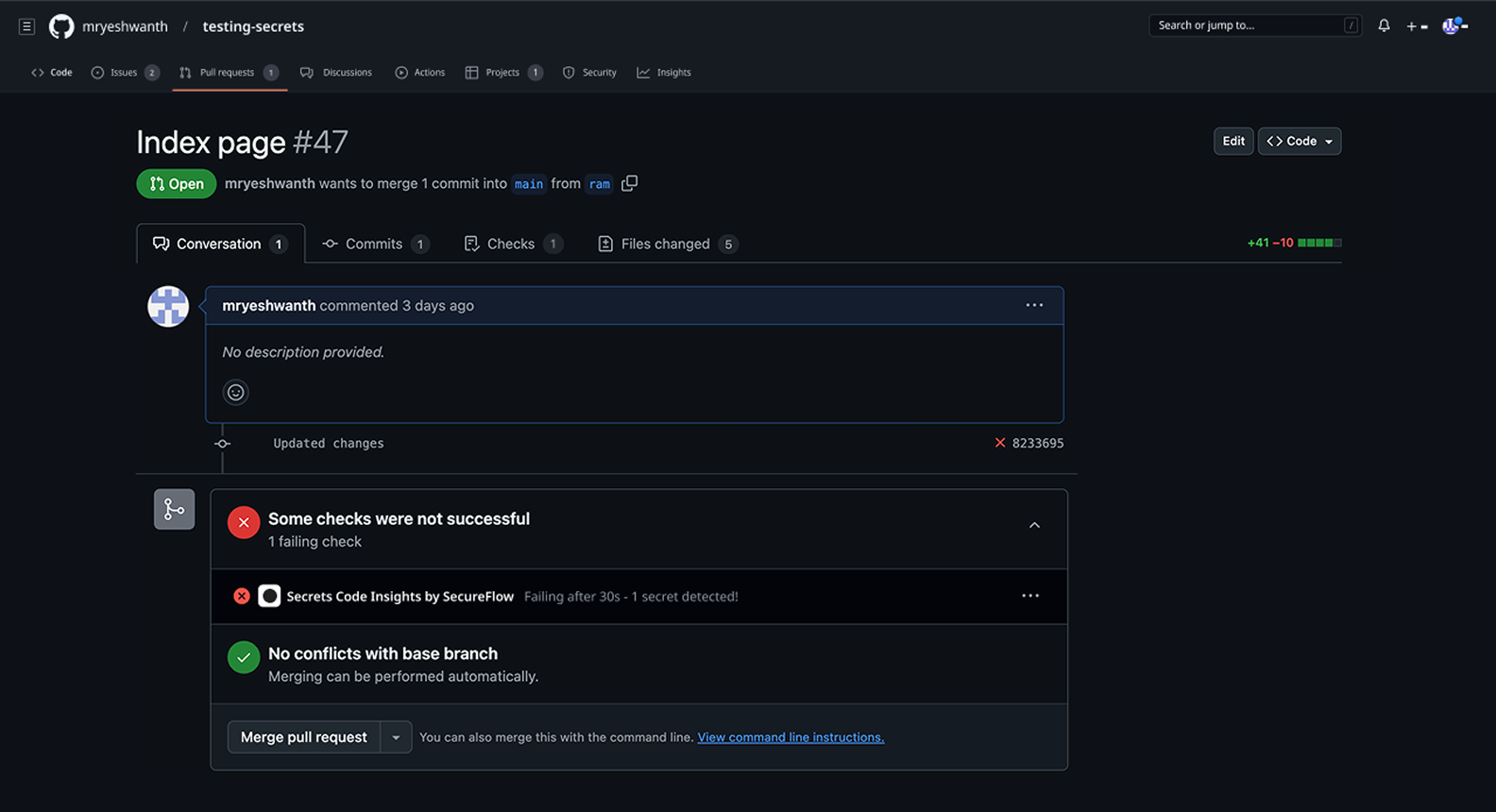
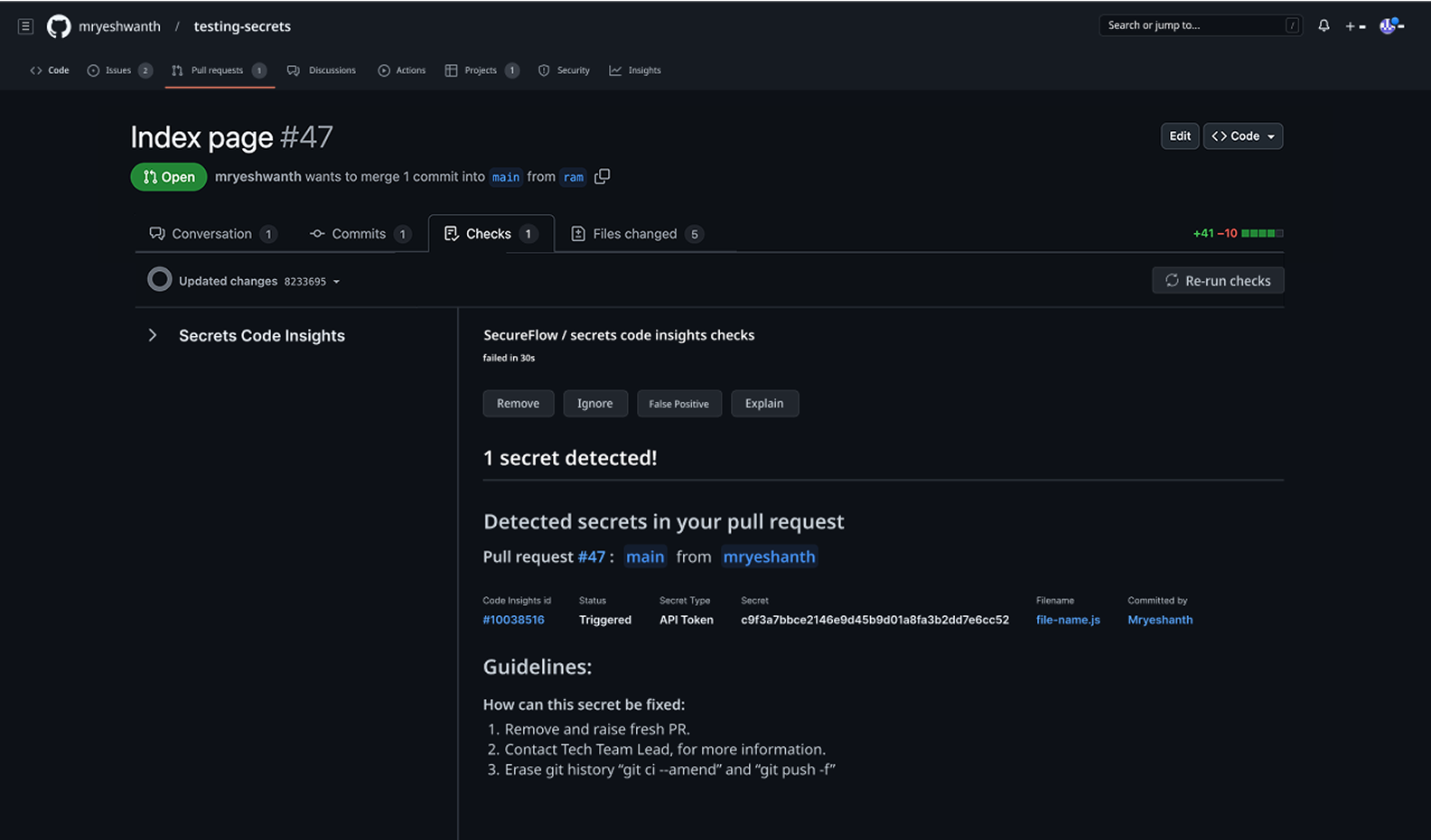
Each finding comes with a short explanation and guided next steps. Most take seconds, keeping PR resolution under the 2-minute threshold.
Issue creation
High-risk secrets automatically become GitHub issues with fix instructions, so they're tracked instead of lost in PR comments.
Team lead tools
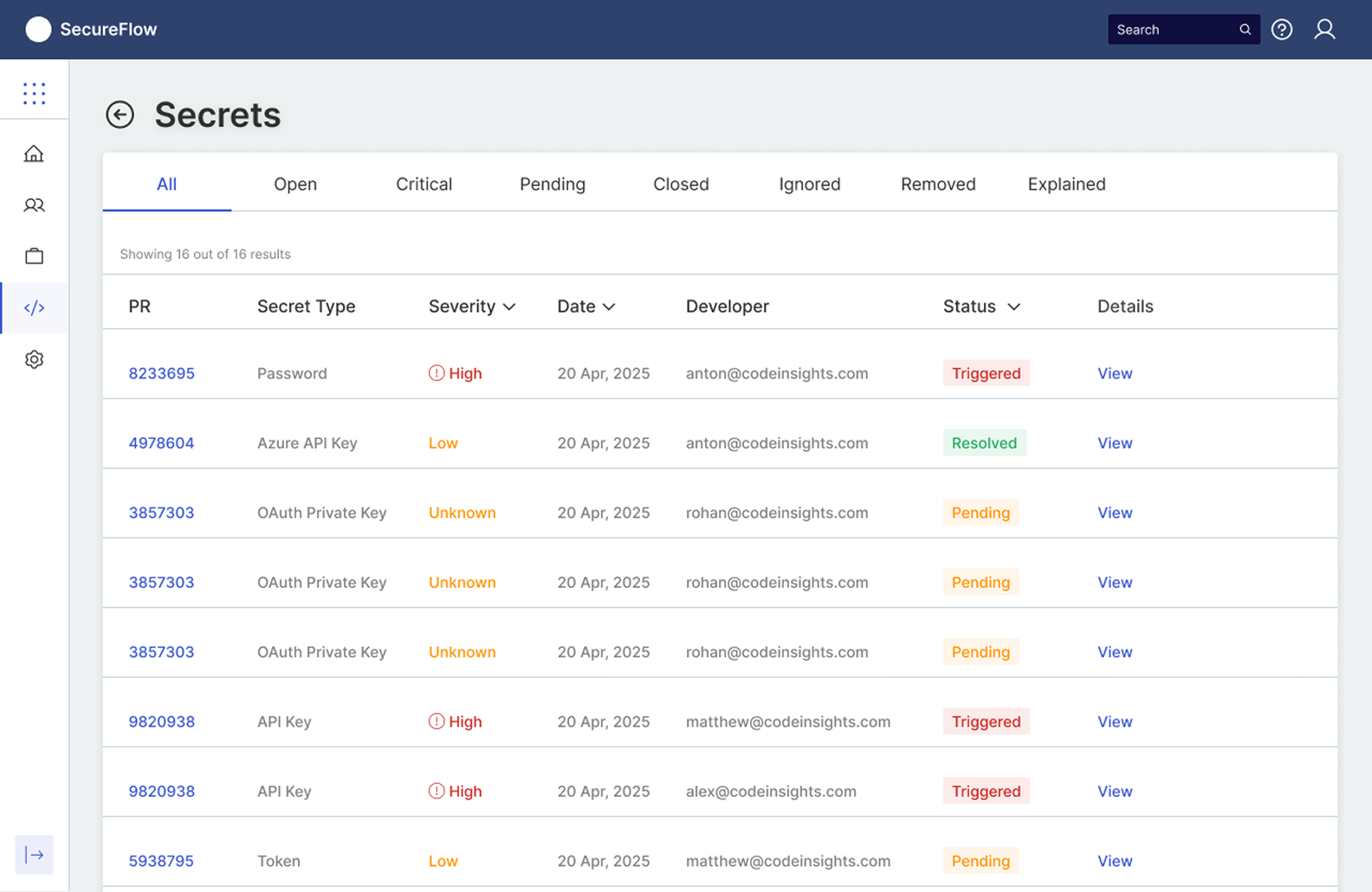
Dashboard
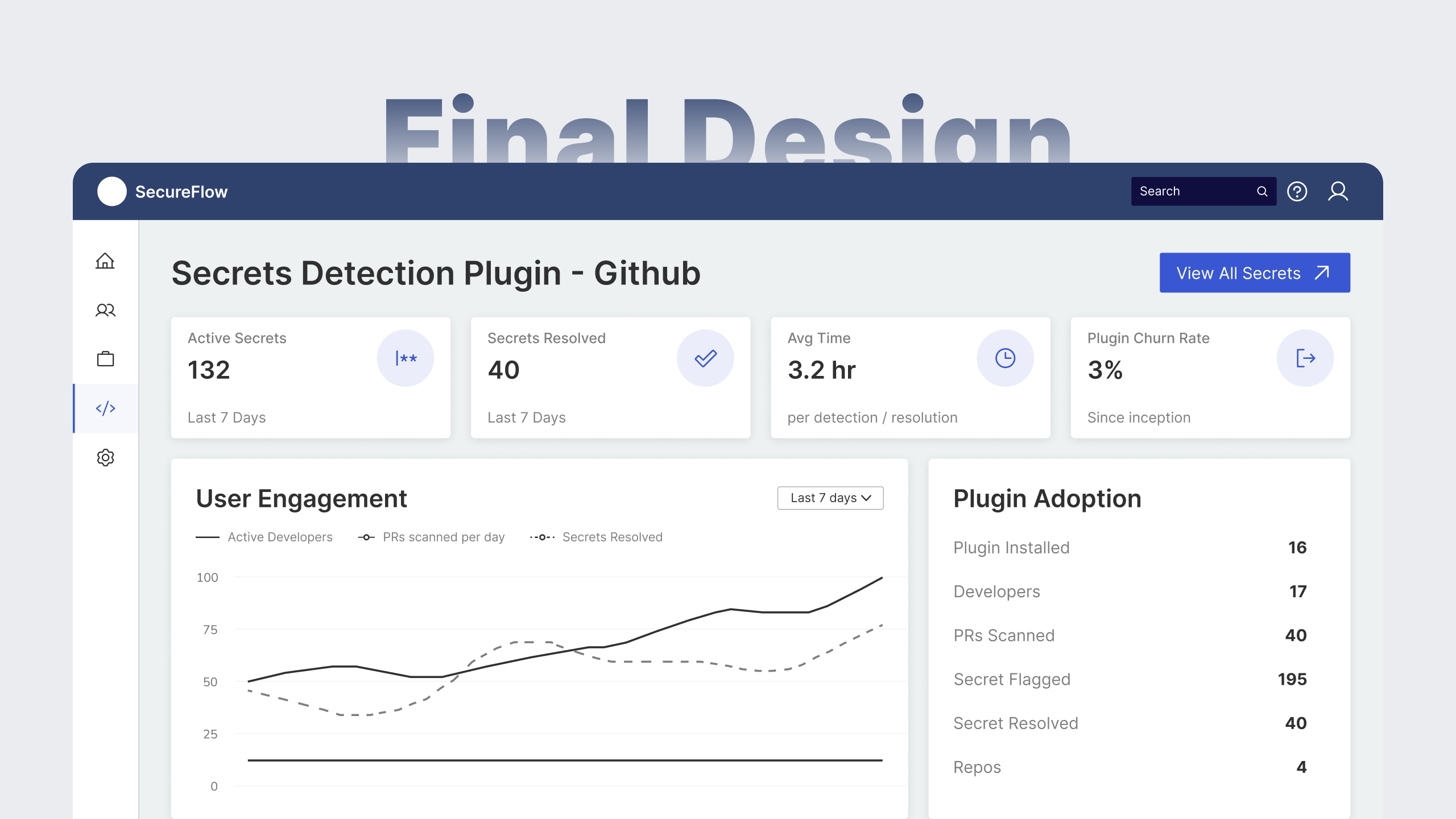
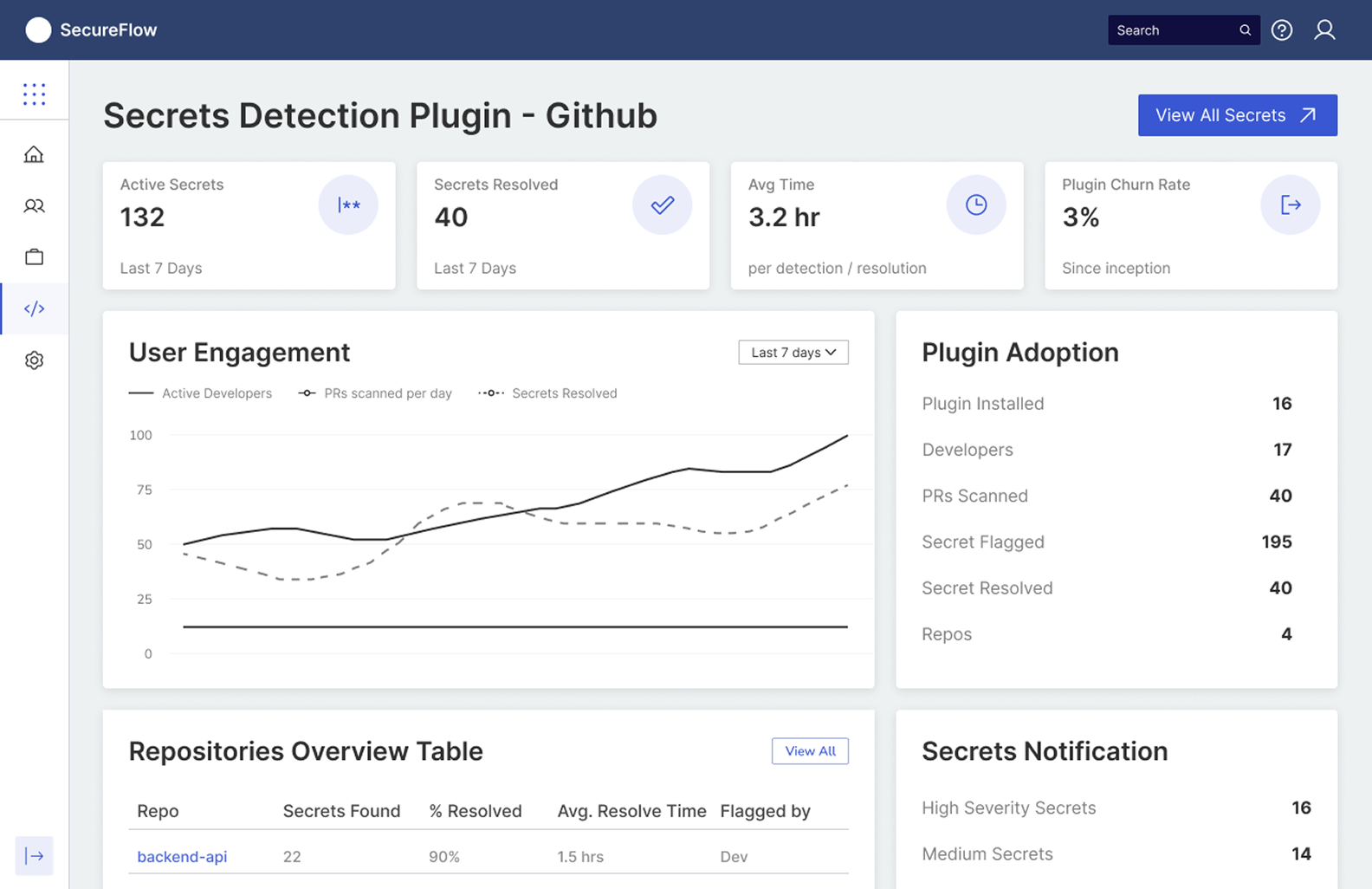
A focused dashboard shows active risks, recurring patterns, high-risk contributors, resolution trends and audit trails. Security becomes a team habit leads can measure.
Escalation & coaching
Issues unresolved past a threshold go to the team lead with why it happened and the pattern behind it, so they can coach rather than punish.
KPIs linked to UX
Outcome-based roadmap
- Secure PRs without slowing downInline detection, guided remediation, and issue creation
- Teachable team habitsTeam lead dashboard and coaching escalation
- Catch secrets while writing codeIDE integration with secure suggestions and autocomplete
- Cover the whole pipelineCI/CD and secret management integrations
- Personalised security learningAI-powered education based on developer patterns
- Effortless complianceAutomated audit reporting for enterprise customers
- Proven patterns by defaultLearning from secure implementations across organisations
Sequenced by expected impact on the north star.
Reflections
What didn't work
My first dismissal flow asked for a written justification on every "Mark as False Positive." Within a week, developers were ignoring alerts instead, so I cut it to one click with an optional note.
What I'd carry forward
Respect the speed of the workflow
Security tools only work when they keep pace with how developers ship.
Inform, don't obstruct
Leave developers in control. Block only what's truly critical.
Habits scale, enforcement doesn't
Lasting security comes from team habits, not policing.